Chapter 5: Configuration
98-141368-A 72
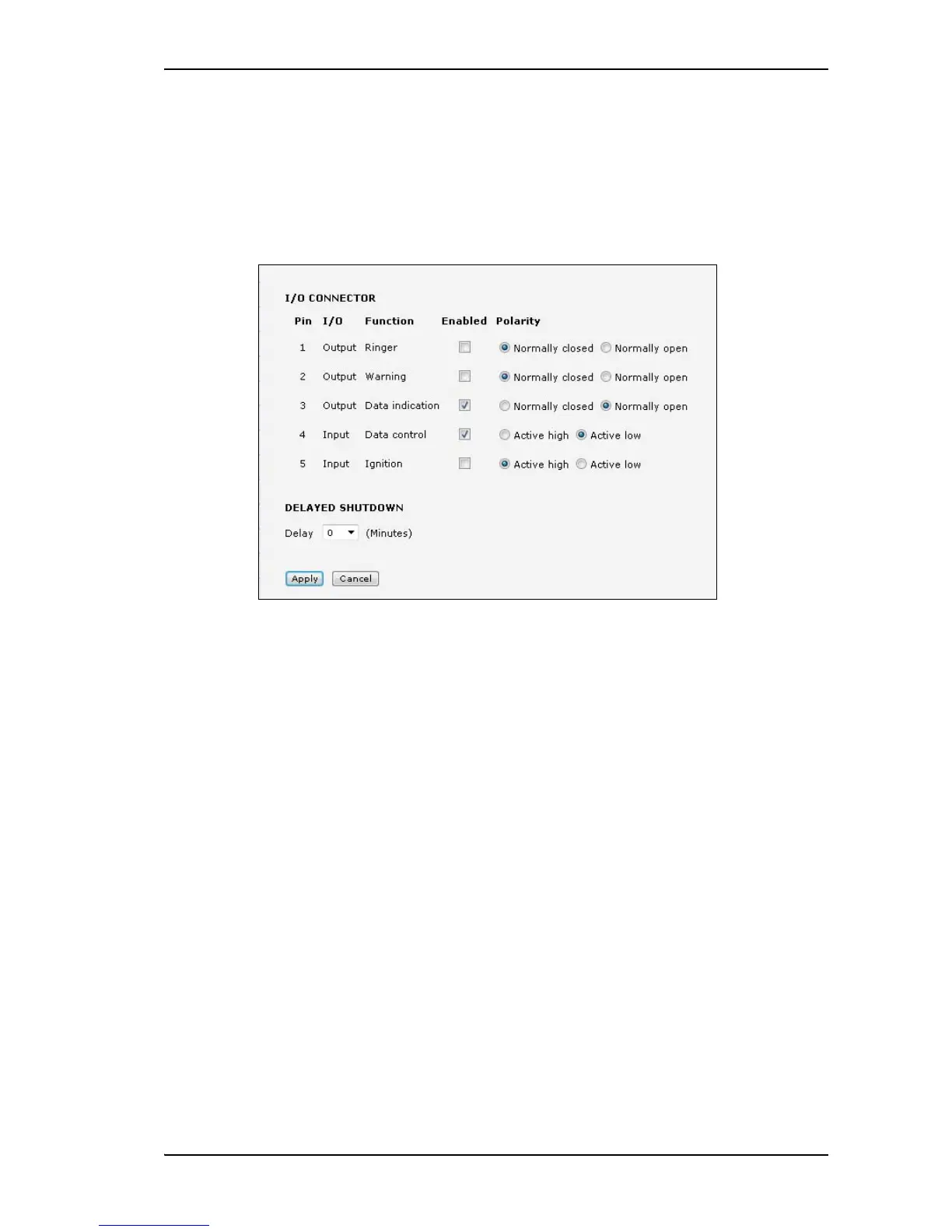
To configure the I/O interface
The terminal has an I/O connector with 5 configurable inputs/outputs. For details on their
functions and how to connect, see I/O interface on page 28.
To change the configuration of the I/O pins, do as follows:
1. Select SETTINGS > I/O connector.
2. For each pin you want to use, select Enabled.
3. For each pin, select the function of the pin. Refer to I/O pin functions on page 29.
4. If you are using the Ignition function and you want the terminal to stay on for a few
minutes after the Ignition is switched off, enter the number of minutes under DELAYED
SHUTDOWN.
For further information on the Ignition function, see Ignition system on page 38.
5. Click Apply.


 To Next Page