Code Blue
•
259 Hedcor Street
•
Holland, MI 49423 USA
•
800.205.7186
•
www.codeblue.com
GU-137-Hpage 19 of 67
IP1500 and IP2500 Series
Administrator Guide
Logging Into The System
1. Log in using a web browser.
A. PlacetheIPAddressofyourspeakerphoneintotheURLaddressbarandpress
ENTER.
B. Dependingonthebrowserbeingused,acerticatewarningmaypopup.Goahead
andapproveinordertoloadupthelogindialogbox.
C. Enterusername“admin”andpassword“admin”andpressENTER.
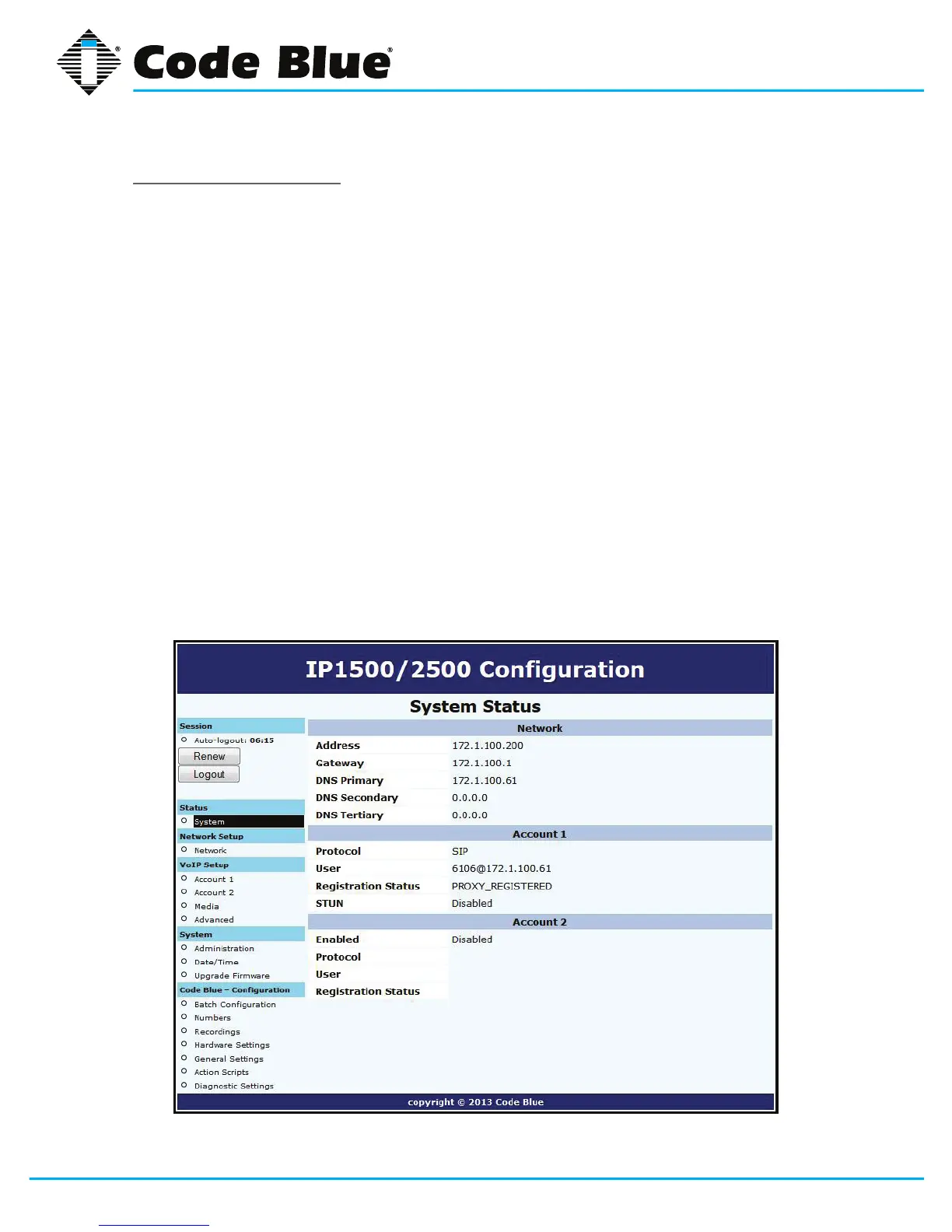
2. System Status Screen.
A. CurrentsessiontimebeforeAuto-Logoutisexecuted.
B. Clicking Renewwillrestartthetimerto10minutes,effectivelykeepingyoulogged
in.Thisstatehelpspreventothersfromlogginginandtakingoverthesession,
therefore
erasinganyunsavedchangesmade.
C. Clicking LogoutwilllogyououtoftheGUI.
D. Network:DisplayscurrentIPaddress,DNSaddress,DNSTertiaryaddress,Account
1’s current status and Account 2’s current status.



 To Next Page