Code Blue
•
259 Hedcor Street
•
Holland, MI 49423 USA
•
800.205.7186
•
www.codeblue.com
GU-137-Hpage 21 of 67
IP1500 and IP2500 Series
Administrator Guide
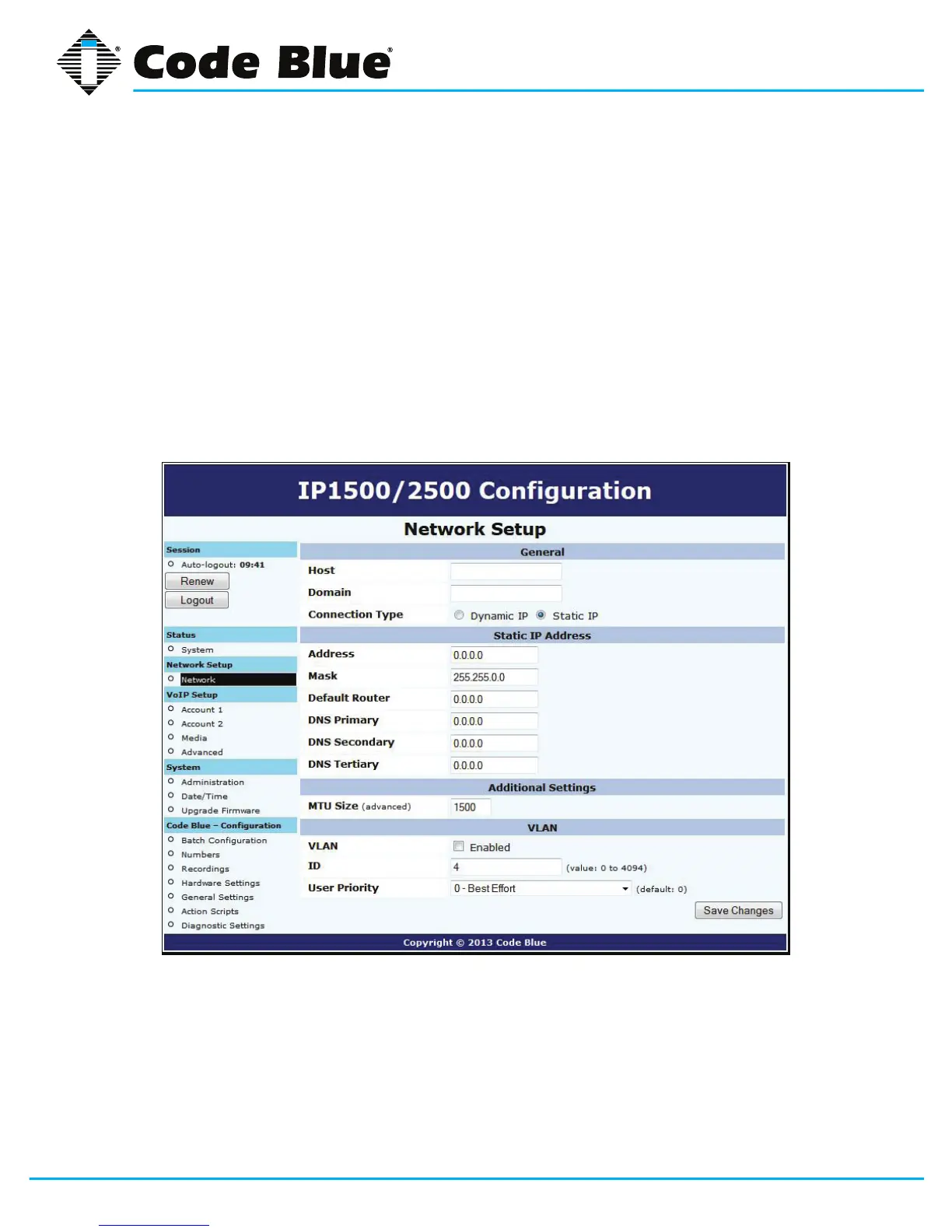
6.2 Network Configuration
OnceyouhaveobtainedtheDHCPaddressofthespeakerphoneyoucanloginandsetastaticIP
address.
1. Click on the NetworkmenuitemunderNetworkSetup(seefarleft-handcolumn).
2. UnderGeneral,clickonStatic IP for Connection Type.
3. Enter your desired IP settings under Static IP Address.
4. Onceyouhaveenteredyoursettings,clickonSave Changes.
NotethatifyouhavemovedyourspeakerphonetoanetworkyourPCcannotaccess,youwillhave
tocongureyourPCtoaccessthatnetworkbeforecongurationcancontinue.



 To Next Page