Code Blue
•
259 Hedcor Street
•
Holland, MI 49423 USA
•
800.205.7186
•
www.codeblue.com
GU-137-Hpage 26 of 67
IP1500 and IP2500 Series
Administrator Guide
ConguringMediaSettings
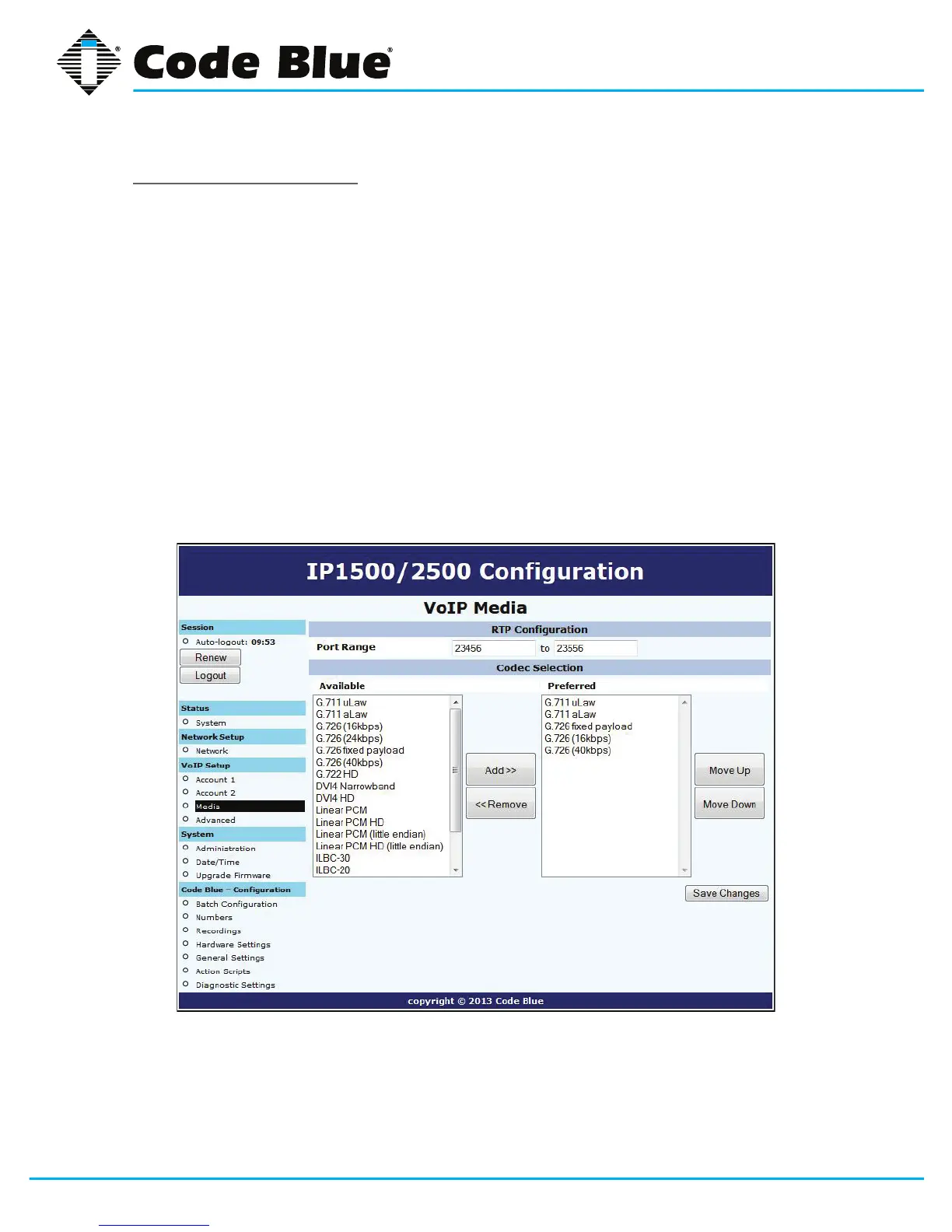
FortheSIPprotocol,youcanspecifyaportrangefromwhichthespeakerphonewillselectIPports
to offer to the other system for use with RTP communication.
Thespeakerphonecanuseanyoneofasuiteofcodecsforvoicecommunication.Whichcodec
isusedisdependentonnegotiationwiththeremotesystem,butyoucanuseCodecSelectionto
specifyalistofpreferredcodecsthatwillbeofferedinnegotiation.
• To add codecs to the Preferredlist,highlightthemintheAvailable list and click Add.
• ToremovecodecsfromthePreferredlist,highlightthemandclickRemove.
• Tochangetheorderpreferredcodecsareoffered,highlightthemandclickeitherMove Up or
Move Downtoreorganizethem.
NotethatsomecodecscorruptDTMFtones,e.g.G.729.IfRFC2833out-of-bandDTMFsignalingis
notinuse,besuretocongureyourcodecsappropriatelyoryoumaynotbeabletousein-callcom-
mands.Besuretotestyourcongurationtomakesureallfeaturesareavailable.



 To Next Page