Introduction
The Cognex Communication card is a PCI Express x1 card that can be installed to a standard PC, and is designed for
easy integration with Cognex's industry-leading software applications. The Communication card also provides:
l 8 inputs, optically isolated
l 16 outputs, optically isolated
l Support for current sinking (NPN) and current sourcing (PNP) devices
l Encoder inputs, for connecting a single-ended or differential encoder
l Industrial Ethernet protocol support
Support
Several resources are available to assist you in using the Communication card:
l The Cognex VisionPro help file, included with VisionPro software.
l VisionPro online support: http://www.cognex.com/Support/VisionPro.
Accessories
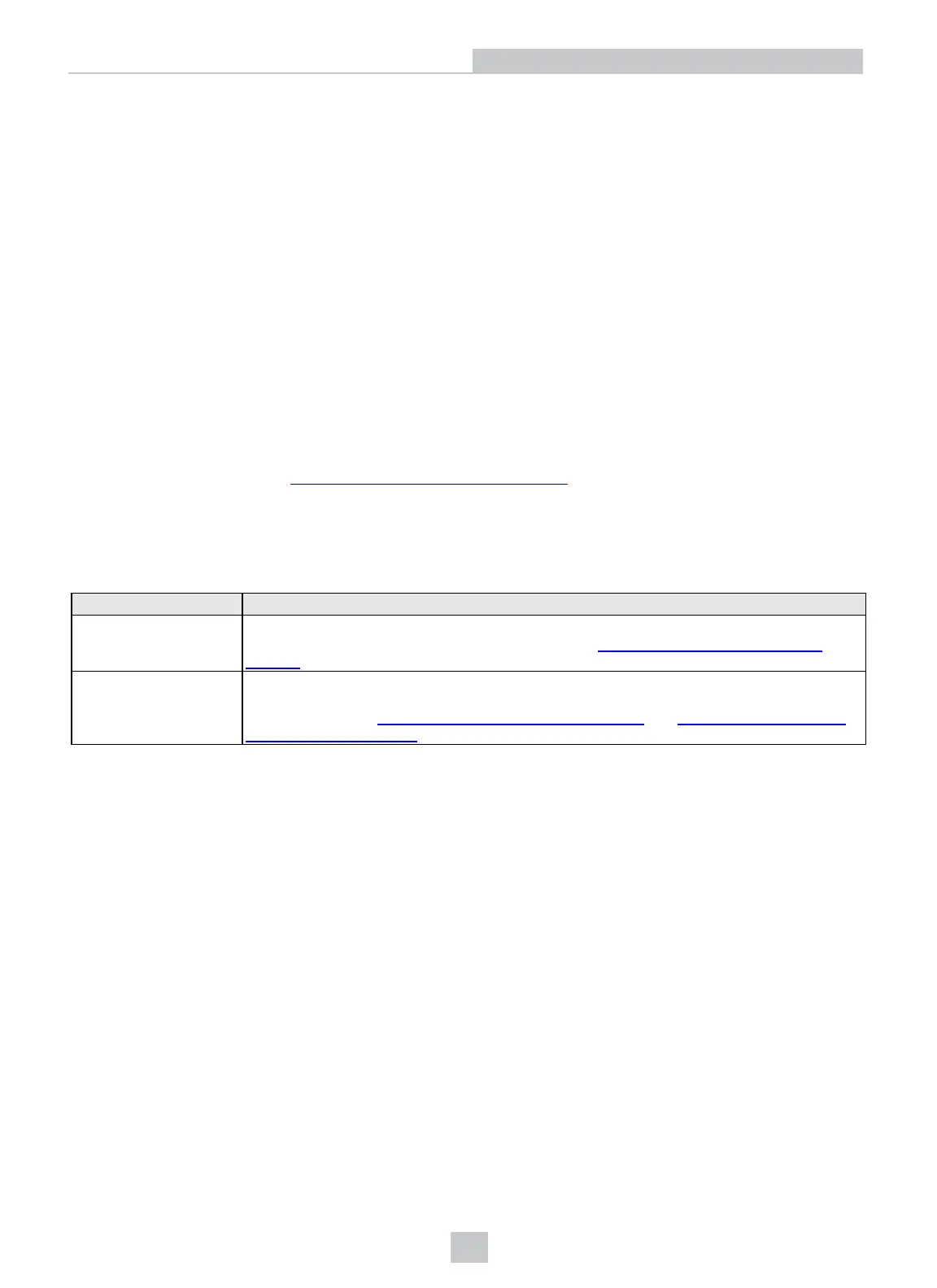
You can purchase the following components separately. For a list of options and accessories, contact your local Cognex
sales representative.
Component Description
Breakout Cable Provides access to the Communication card's input, output and encoder lines. The Breakout
cable is not terminated. For more information, refer to
Breakout Cable Specifications on
page20
.
Terminal Block and I/O
Terminal Block Cable
A DIN rail-mountable terminal block and I/O Terminal Block cable (MDR36 to DB37) that
provides access to the Communication card's input, output and encoder lines. For more
information, refer to
Terminal Block Assignments on page24
and
I/O Terminal Block Cable
Specifications on page22
.
7
Introduction



 To Next Page