DX-80 HARD DRIVE VOICE MAIL INSTALLATION AND SUPERVISOR GUIDE 09/01
32
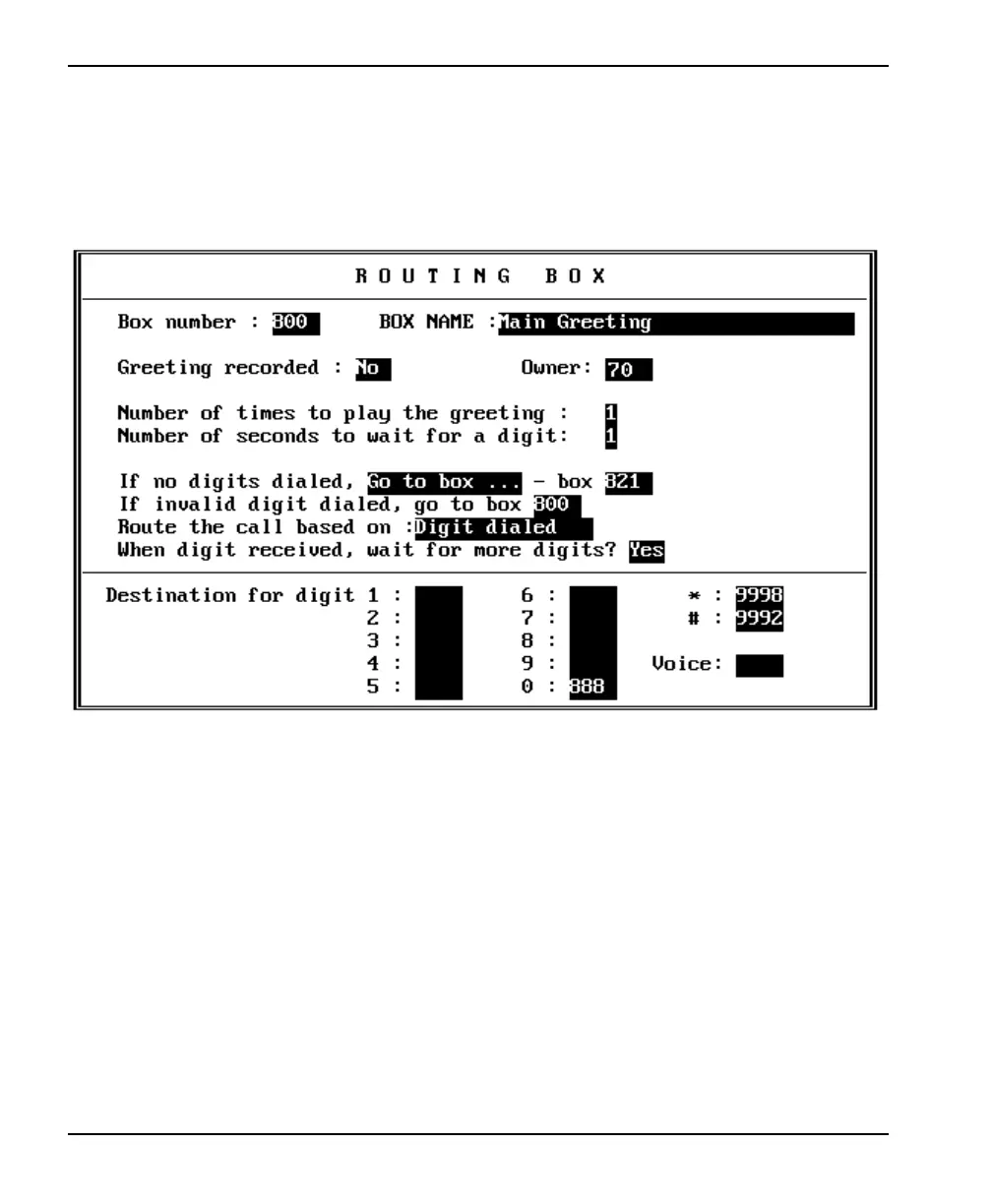
2.4.5.4 Reviewing Routing Box 800, 801, and 821 and Setting Up Single-Digit
Call Routing
1. From the Box Information menu, select ROUTING BOX. The Routing Box setup screen
displays.
2. Press <F4> to access the box selection screen. A small window displays prompting you
for the box number. Type 800 then press <Enter>.
3. Press <Enter> to move the cursor moves to the OWNER field. So that more than one
greeting can be recorded and stored for use with this Routing box, this box should be
identified as being owned by the supervisor mailbox, mailbox 70. By specifying a
mailbox owner for this Routing box, the box takes on certain “mailbox” attributes, which
include being allowed to house the same number of greetings as the mailbox owner’s
mailbox. (You specified this number when you set up class of service 7.)
4. Press <Enter> to move the cursor to the DESTINATION FOR DIGIT fields. If you are
setting up the system to provide single-digit call routing options to callers, complete these
fields. Refer to the Routing Worksheet completed by the system supervisor for specific
information on entries for these fields. Do not modify the DESTINATION FOR DIGIT *
and # fields.














 To Next Page