19
a
b
c
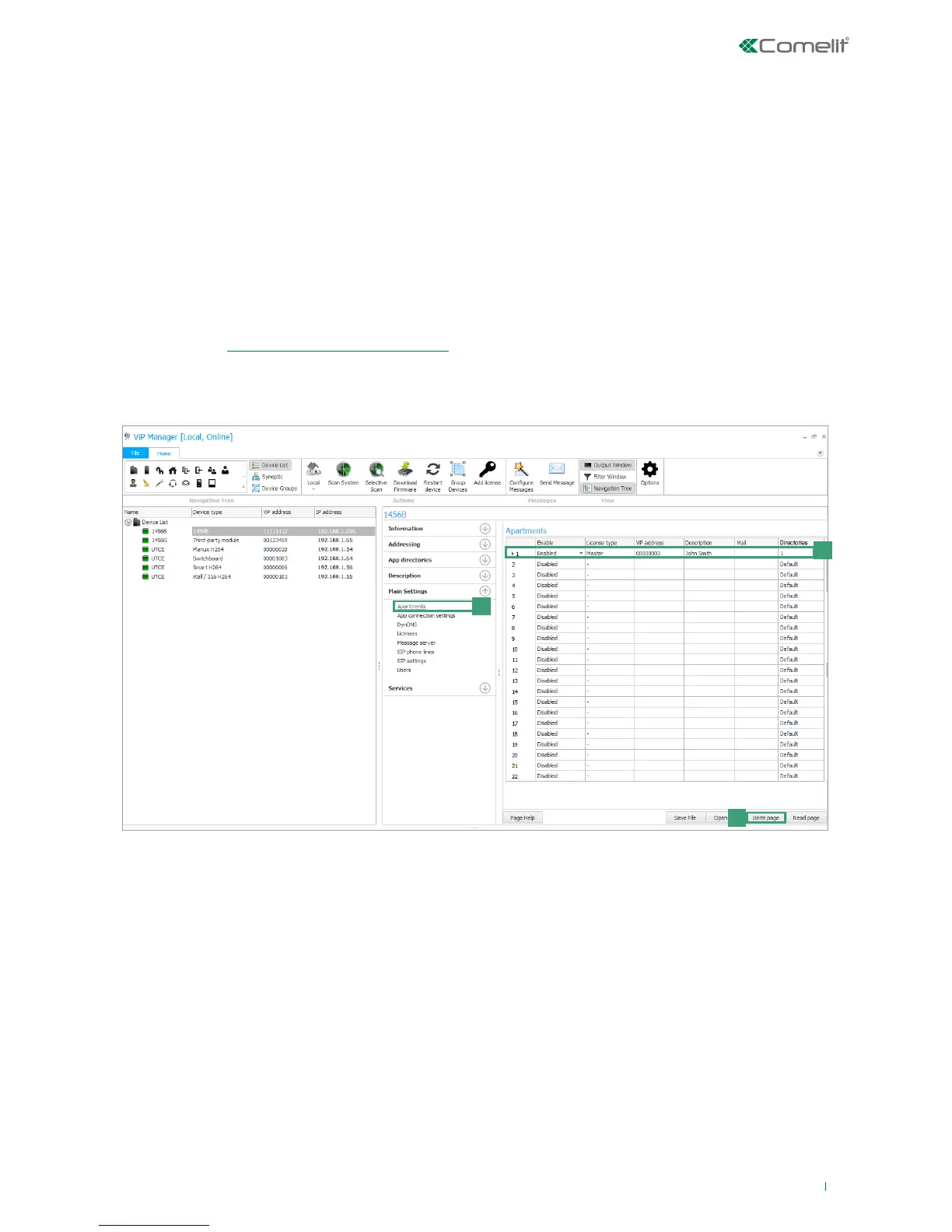
8) Apartments configuration
In the apartments configuration screen, each apartment can be assigned a license, a ViP address (unequivocal), a description to
allow easy identification of the apartment and the user, an email address and a directory.
√ An apartment can be enabled for each available license.
1. Select device 1456B and select Main Settings/DynDNS [a].
2. Configure the individual apartments (max 200) [b]:
• Enabling: enable/disable the license for the apartment by selecting Enabled/Disabled.
• License type: assign the type of license purchased for the apartment, choosing between Slave/Master/Telephone.
• ViP address: enter an unequivocal ViP address to identify the apartment.
• Description: enter a description to unequivocally identify the apartment.
• Mail: enter an email address associated with the apartment.
• Directories: from the pull-down menus, select the directory you wish to associate with the apartment (to create/edit a
directory, see “10) App Directories Configuration”)
3. Press Write page [c] to save the current settings.



 To Next Page