24
a
b
c
d
e
12) Enabling Remote configuration
The following procedure describes how to enable remote configuration via ViP Manager
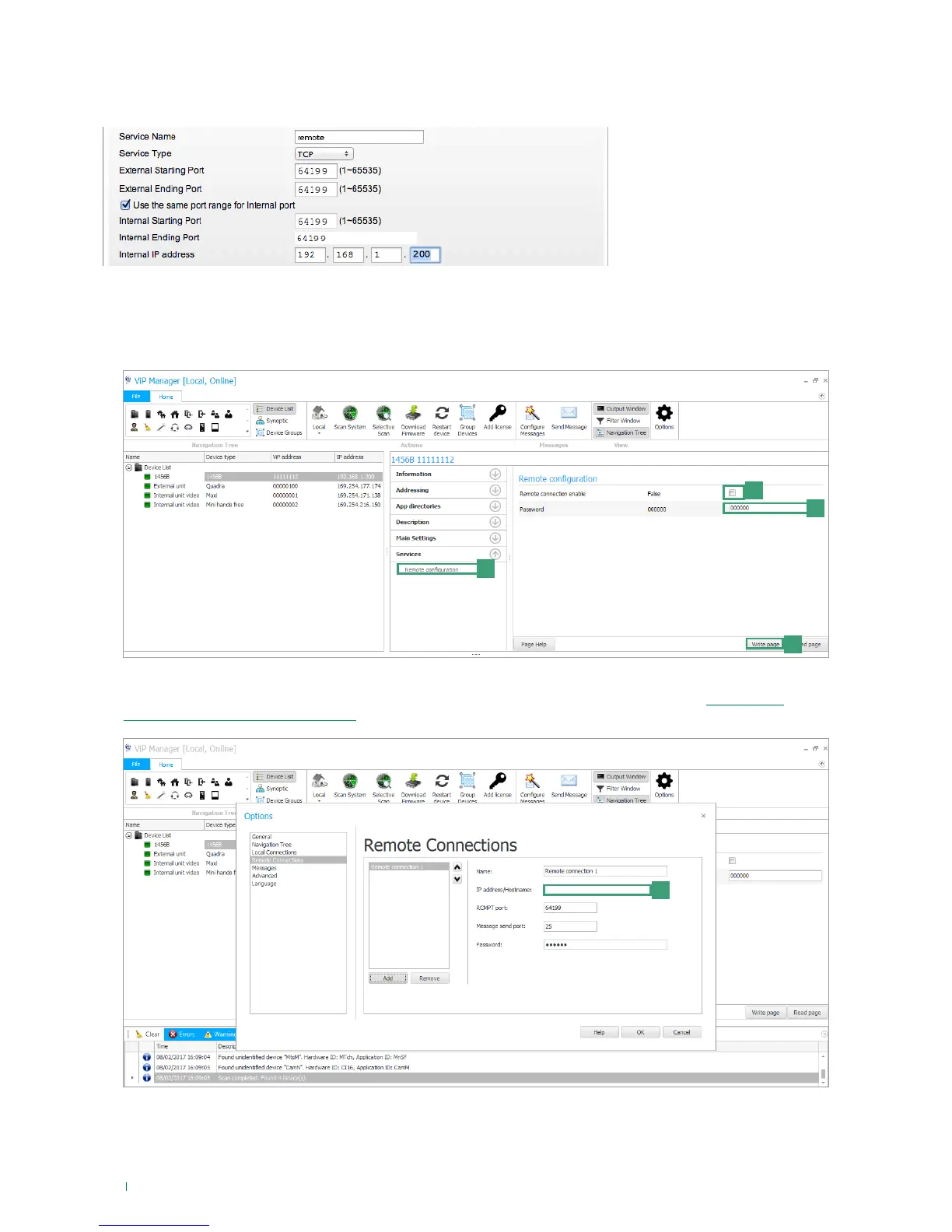
1. Open port 64199 on the router for the address of device 1456B, as shown in the following example:
2. In ViP Manager, select device 1456B and select Services/Remote configuration [a]
3. Tick “Remote connection enable” [b]
4. Enter a password [c]
5. Press Write page [d] to save the current settings.
» It will now be possible to remotely connect to the system from the Remote Connections page by entering the public
IP address [e] of the router in the system or the Hostname [e] assigned to the device 1456B (see: “4) DynDNS
configuration for remote connection”)



 To Next Page