29
a
c
b
d
Restoring licenses
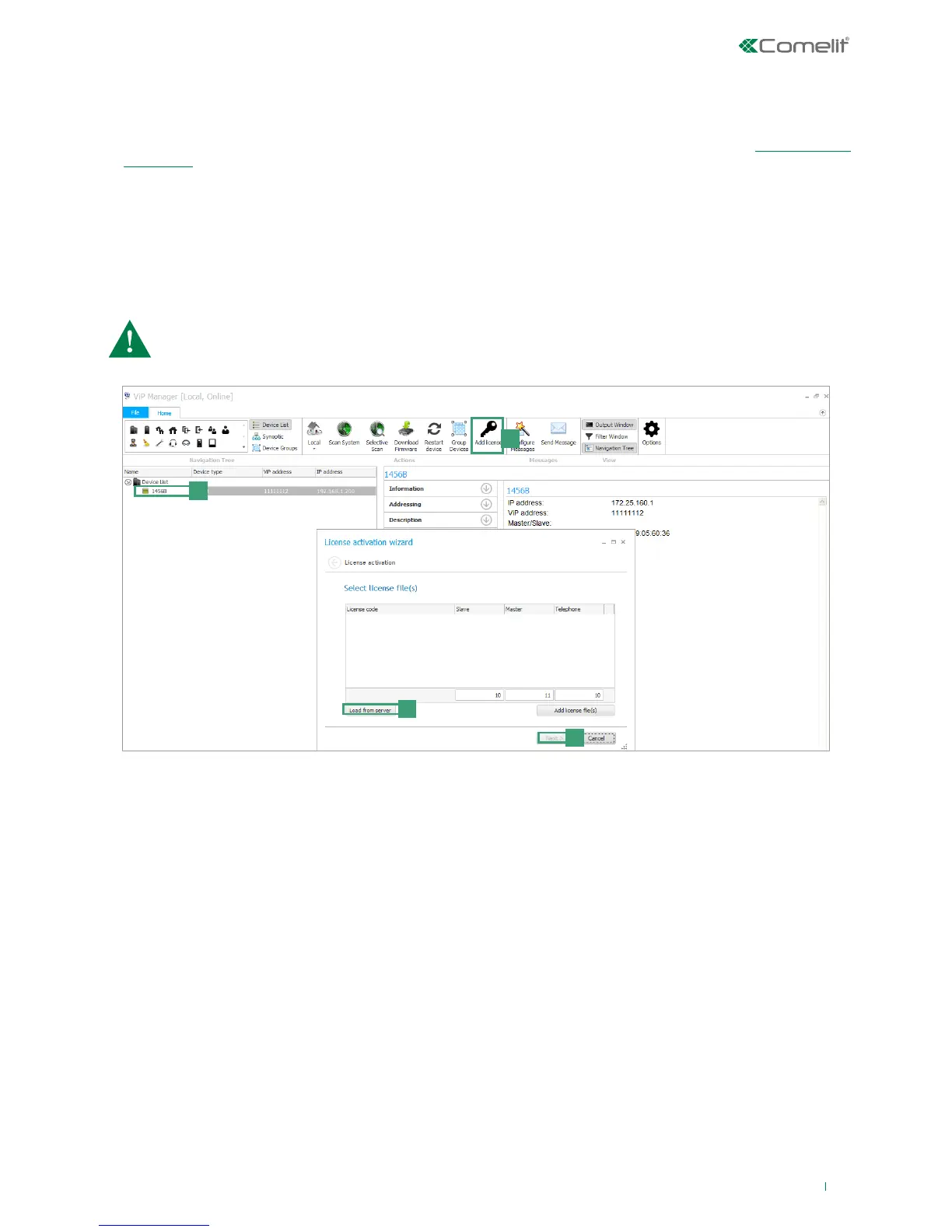
The following procedure allows you to restore licenses lost during the full reset procedure:
1. From ViP Manager, look for the device 1456B as described in the ViP Manager addressing procedure. (see: 2) ViP Manager
addressing)
2. Select the device 1456B [a].
3. Press "Add license" from the main menu [b].
4. Press "Load from server" to restore previously activated licenses [c].
5. Press Next [d].
6. Enter a valid email address, press Next and confirm.
Licenses can be restored a maximum of two times only. For additional license restore operations, contact
Comelit technical assistance.



 To Next Page