19
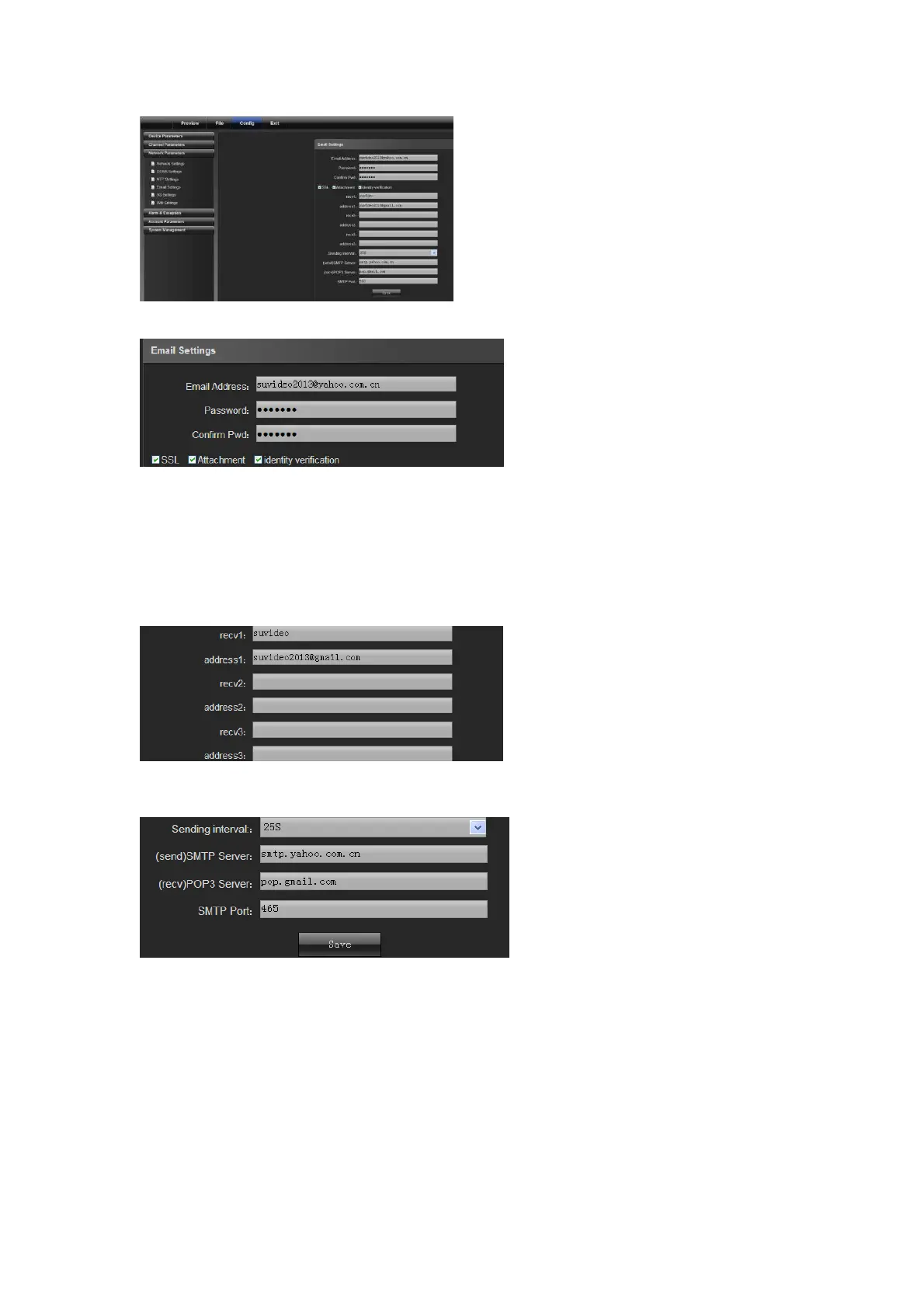
Outbox settings:
Email address: input the address of the outbox
Password: input the password of the outbox
Confirm password: confirm the password
Attachment: capture when attachment alarms
Identity verification: verify before sending an email
Inbox setting
(Note: you can set three receiving emails at most)
Sending server settings:
Sending interval: set the interval time to send an email
SMTP server: set the address of the smtp server for the sending email
POP3 server: set the address of the pop3 server for the sending email
SMTP port: set the port No. of the smtp server for the sending email
4.3.5 3G Settings
Connect to an external 3G device to enable 3G features. Select a device type, input phone number and then select
work state. Finally, click "Save", as shown in the following figure:



 To Next Page