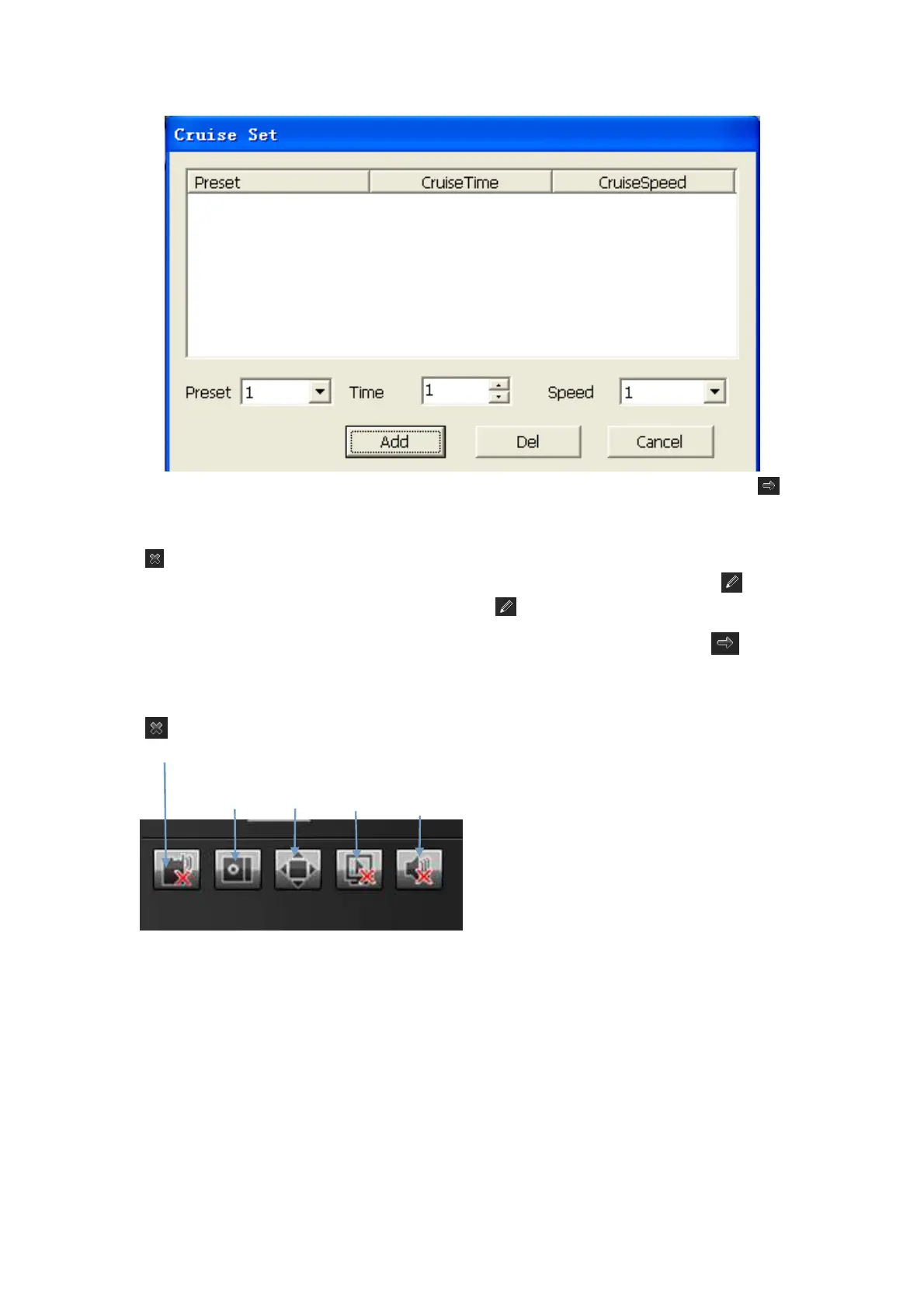
[Call a cruise] Call a cruise by selecting a cruise number from the "cruise" drop-down list and then clicking " "
button.
[Delete a cruise] Delete a cruise by selecting a cruise number from the "cruise" drop-down list and then clicking
" " button.
[Set a locus] Select a locus number from the "Locus" drop-down list and click "enable locus memory" button.
Then perform PTZ controls, and click "disable locus memory" button. The locus is memorized.
[Call a locus] Call a locus by selecting a locus number from the "Locus" drop-down list and clicking button.
(Currently, only one locus is supported)
[Delete a locus] Delete a locus by selecting a locus number from the "locus" drop-down list and then clicking
" " button.
[Voice Intercom] click it to enable or disable voice intercom
[Capture] capture for preview. Click it to pop up its storage path automatically.
[Full screen] display the current preview in full screen
[Stop all] stop all current previews
[Voice] enable / disable front-end voice
Note: X indicates it is off or disabled
VOICE INTERCOM
Captur
Full Screen
Stop All
Voice



 To Next Page