EasyManua.ls Logo

Commodore MPS-801 - Page 16

Commodore MPS-801
34 pages
Print Icon
To Next Page IconTo Next Page
To Previous Page IconTo Previous Page
Loading...
TROUBLESHOOTING
GUIDE
(Continued)
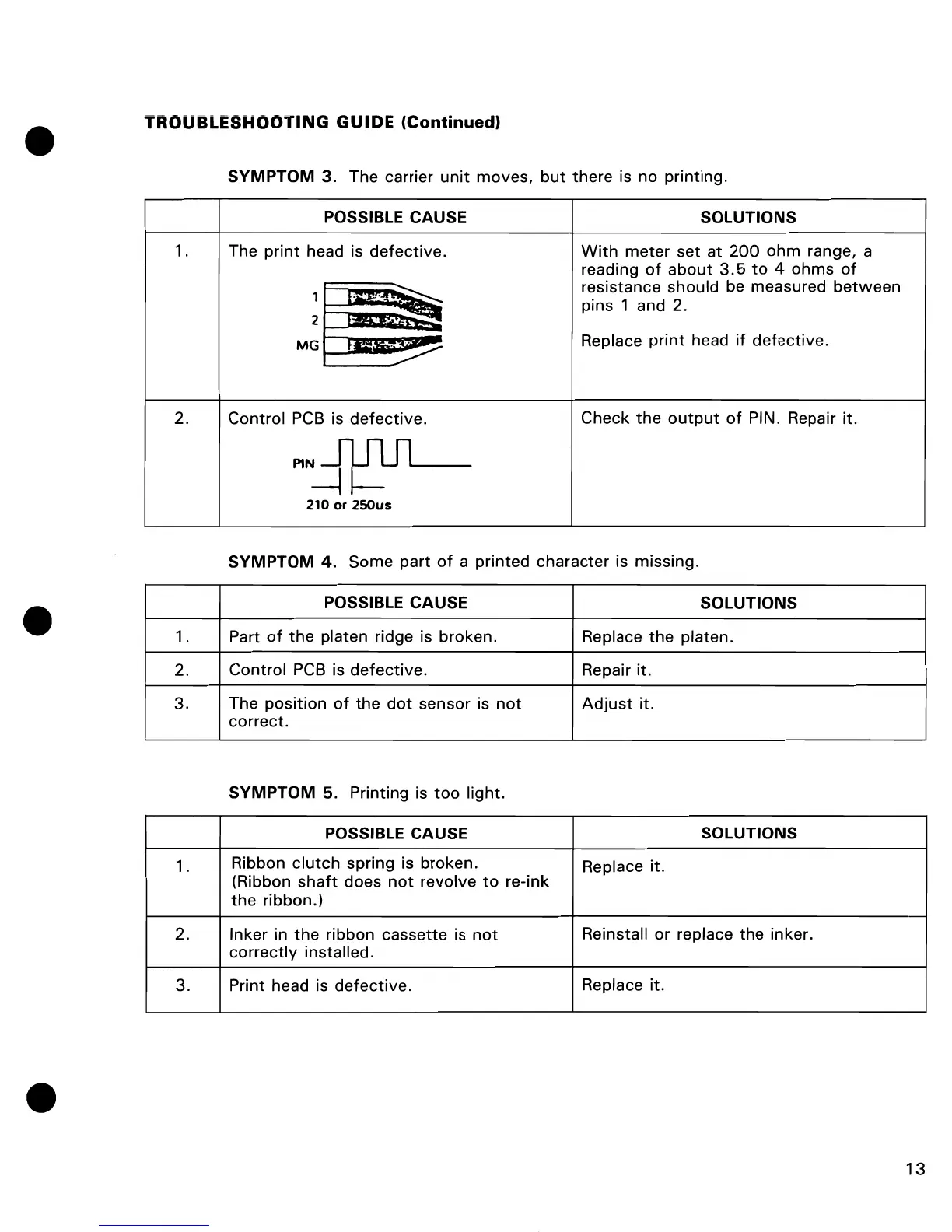
SYMPTOM
3. The carrier
unit
moves,
but
there is no printing.
POSSIBLE CAUSE SOLUTIONS
1. The
print
head is defective.
With
meter set
at
200
ohm range, a
reading
of
about
3.5
to
4 ohms
of
t'~~~~~
resistance should be measured
between
1
pins 1 and 2 .
2
.
~
MG
.~
Replace
print
head
if
defective.
2. Control
PCB
is
defective.
Check
the
output
of
PIN. Repair it.
MNĀ£1l-
210
or
250us
SYMPTOM
4.
Some part
of
a printed character is missing.
POSSIBLE CAUSE
SOLUTIONS
1. Part
of
the
platen ridge is broken.
Replace
the
platen.
2. Control
PCB
is
defective.
Repair it.
3. The position
of
the
dot
sensor is
not
Adjust
it.
correct.
SYMPTOM
5. Printing is
too
light.
POSSIBLE CAUSE SOLUTIONS
1.
Ribbon
clutch
spring is broken.
Replace it.
(Ribbon
shaft
does
not
revolve
to
re-ink
the
ribbon.)
2. Inker in
the
ribbon cassette is
not
Reinstall or replace
the
inker.
correctly
installed.
3.
Print head is
defective.
Replace it.
13

Other manuals for Commodore MPS-801

Related product manuals