EasyManua.ls Logo

Commodore MPS-801 - Rotation Detector Adjustment

Commodore MPS-801
34 pages
Print Icon
To Next Page IconTo Next Page
To Previous Page IconTo Previous Page
Loading...
MECHANICAL
ADJUSTMENTS
(Continued)
Rotation
Detector
Adjustment:
If
adjustment
of
the
dot
sensor
unit
does
not
produce
satisfactory
results,
the
rotation
detector
must
be adjusted. To
adjust
the
rotation
detector,
remove
the
BE-50S ring and
dot
sensor
unit.
Move
the
rotation
detector
4 holes,
clockwise
in
the
case
of
(b),
OR
counterclockwise
in
the
case
of
(c). When
replacing
the
rotation
detector,
be careful
that
the
two
bosses are engaged
with
the
gears
of
the
head
motor.
PLATEN
GEAR
o
00-
o
I
I
I
I
,
,
\
\
,
/
I
"\
"
o
"
ROTATION
DETECTOR
,
,
,
I
,
I
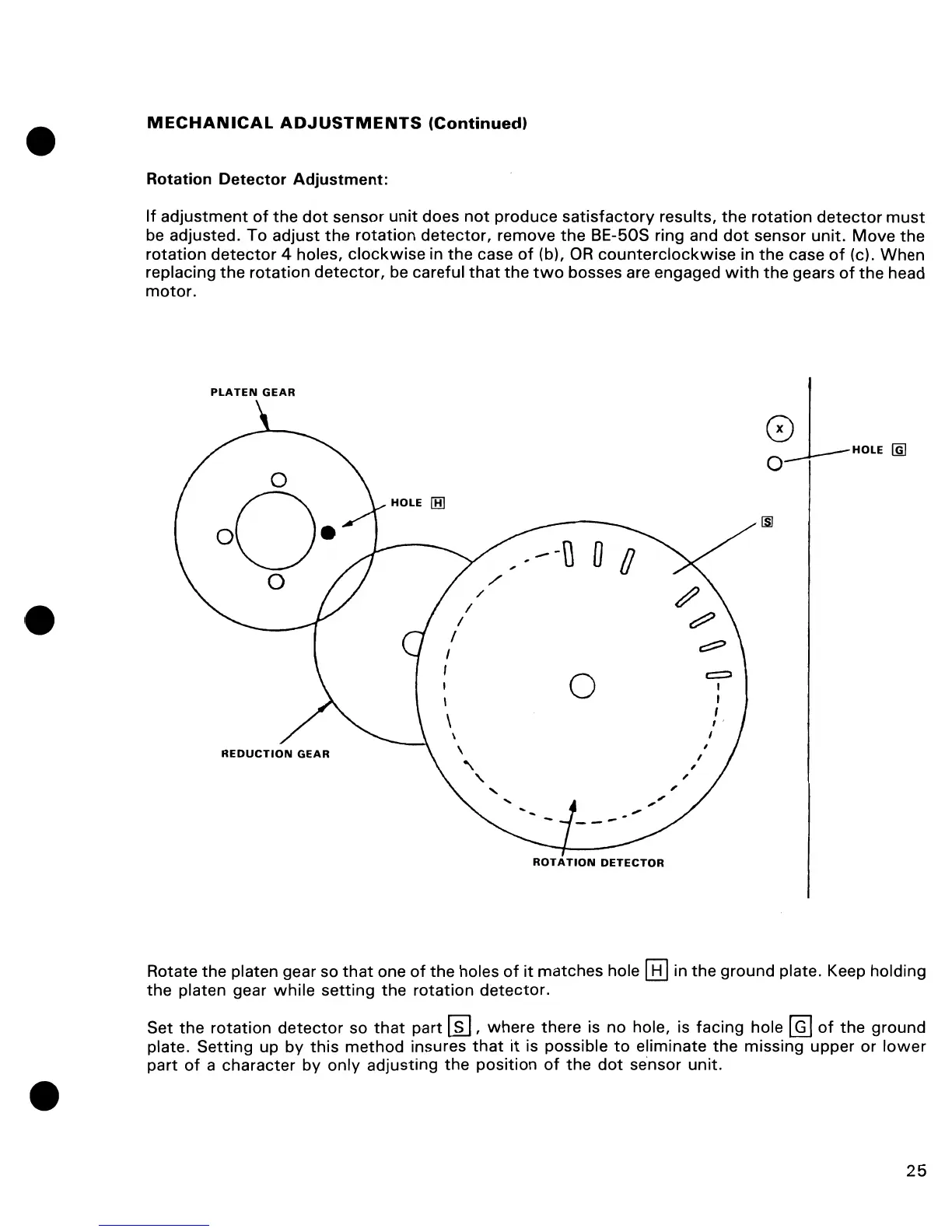
Rotate the platen gear so
that
one
of
the holes
of
it
matches hole
[8J
in
the
ground plate. Keep holding
the
platen gear
while
setting
the
rotation
detector.
Set
the
rotation
detector
so
that
part
~,
where
there is no hole, is facing hole
@]
of
the
ground
plate. Setting up by
this
method
insures
that
it
is possible
to
eliminate
the
missing upper
or
lower
part
of
a character by
only
adjusting
the
position
of
the
dot
sensor
unit.
25

Other manuals for Commodore MPS-801

Related product manuals