M300 Pro GNSS Receiver User Guide
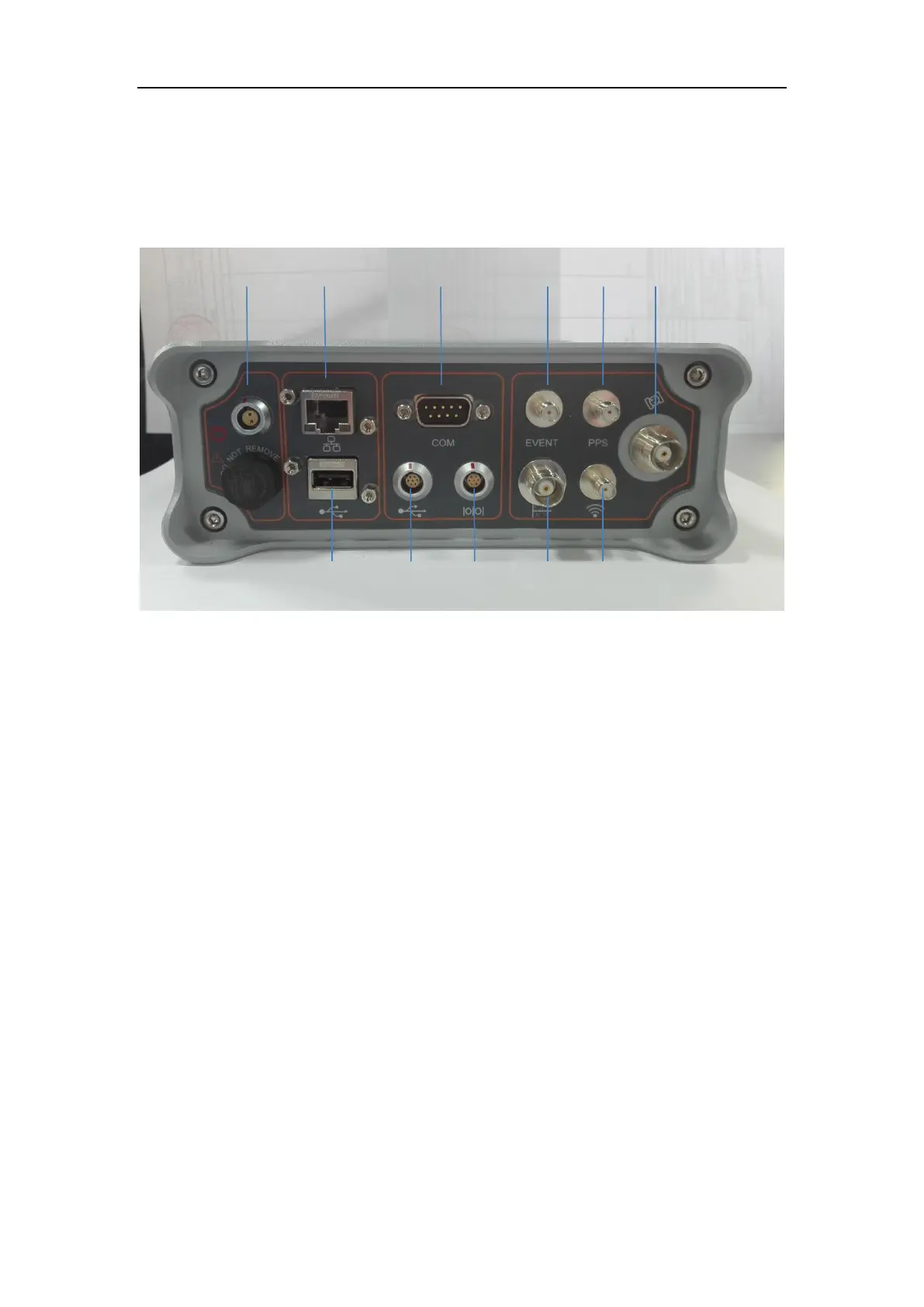
3.3 Rear connectors
All connectors are located on the back of the receiver, you can connect other
external devices through these connectors.
① Power Supply and Battery Charge Port
Port for external power supply, and internal Battery charging of the receiver
② Ethernet Port
Connect to internet
③ Com1 Port of Main Board (RS232 port)
Control the mainboard and request data from this port
④ EVENT Signal Connector
Access Event signal trigger and can be configured through a web browser
⑤ PPS Connector
Output PPS signal and can be configured through the web browser
⑥ GNSS Antenna Connector
Connect to the GNSS antenna
⑦ USB
Connect to external USB drive for external data logging
⑧ Lemo to USB Data Download Connector
Connect with PC to download raw data from the internal memory
⑨ Com2 Port of Main Board
Connect with Meteorological sensor, RS-485 communication protocol; receive and
save meteorological data in RINEX format



 To Next Page