M300 Pro GNSS Receiver User Guide
Press Enter to save the configuration
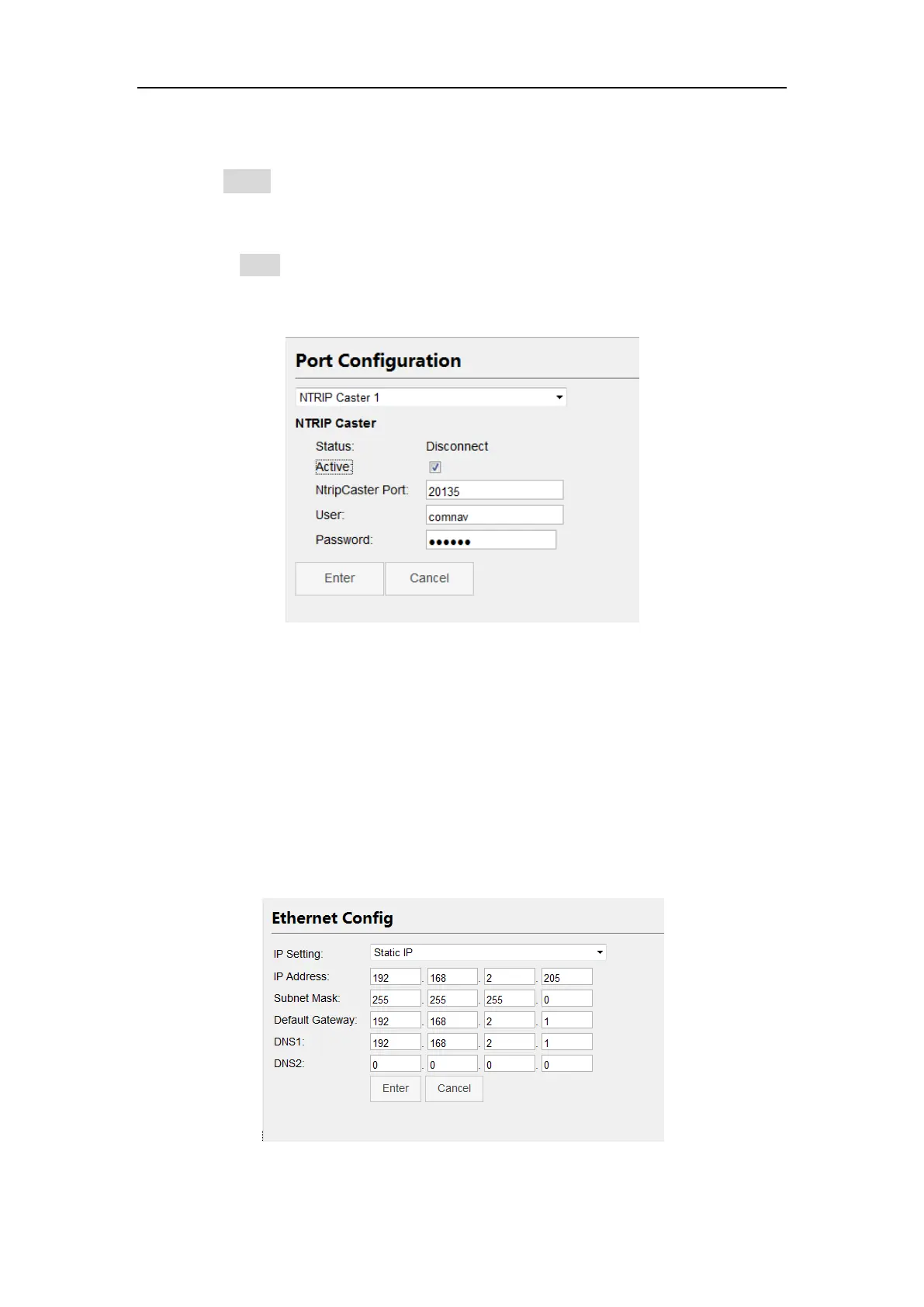
2. Configuration of NtripCaster:
Enable Active button of NtripCaster
Enter port, this port should be same with NtripServer
Enter Password, this password should be also same with NtripServer
Press Enter to save configuration
All configurations of NtripCaster Protocol are shown above, then you can use a rover
to get correction data.
4.7 Internet Service
4.7.1 Internet Config
Use the Ethernet Config menu to set IP address, subnet mask, default gateway, and
the Port Forwarding to set HTTP port and FTP port of M300Pro. After changing those
settings, you need to change your computer’s IP address and relogin configuration
webpage based on the new IP address.



 To Next Page