M300 Pro GNSS Receiver User Guide
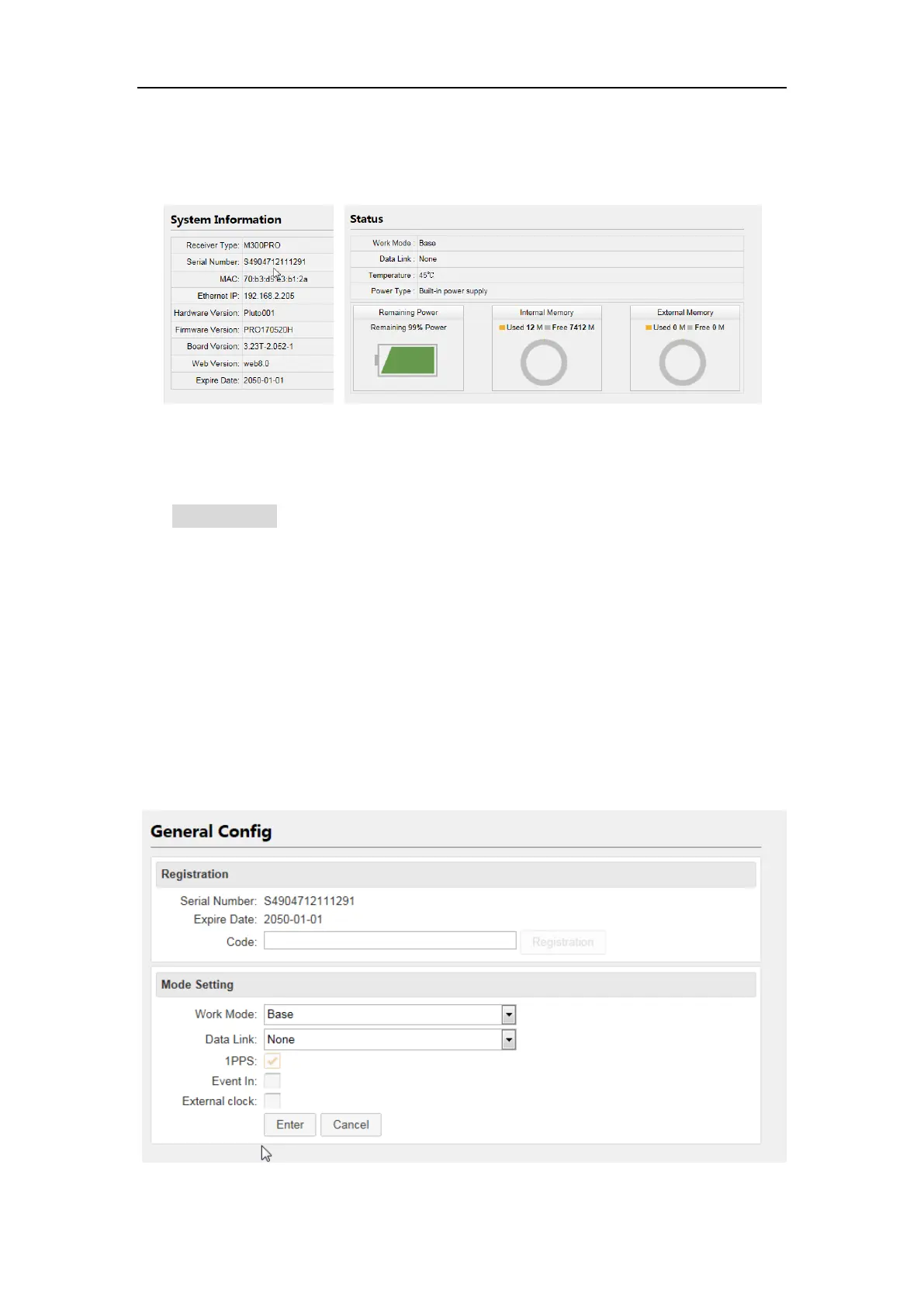
Status: work mode (Base, Rover or Single point positioning), Disk Capacity etc.
Position Information: GNSS constellation system tracked etc.
4.3 Receiver Configuration
Use configuration menu to do basic configurations of your receiver.
4.3.1 General Config
There are 2 work modes you can choose:
Base station: configure the receiver as a Base station, you can change its
settings in Base Setup menu
Rover: setting the receiver as a rover, and Base Setup menu is not available
for rover mode.
Also, active the external input/output as 1pps, please enable Event Marker and
External clock only when the external clock or events are connected.



 To Next Page