M300 Pro GNSS Receiver User Guide
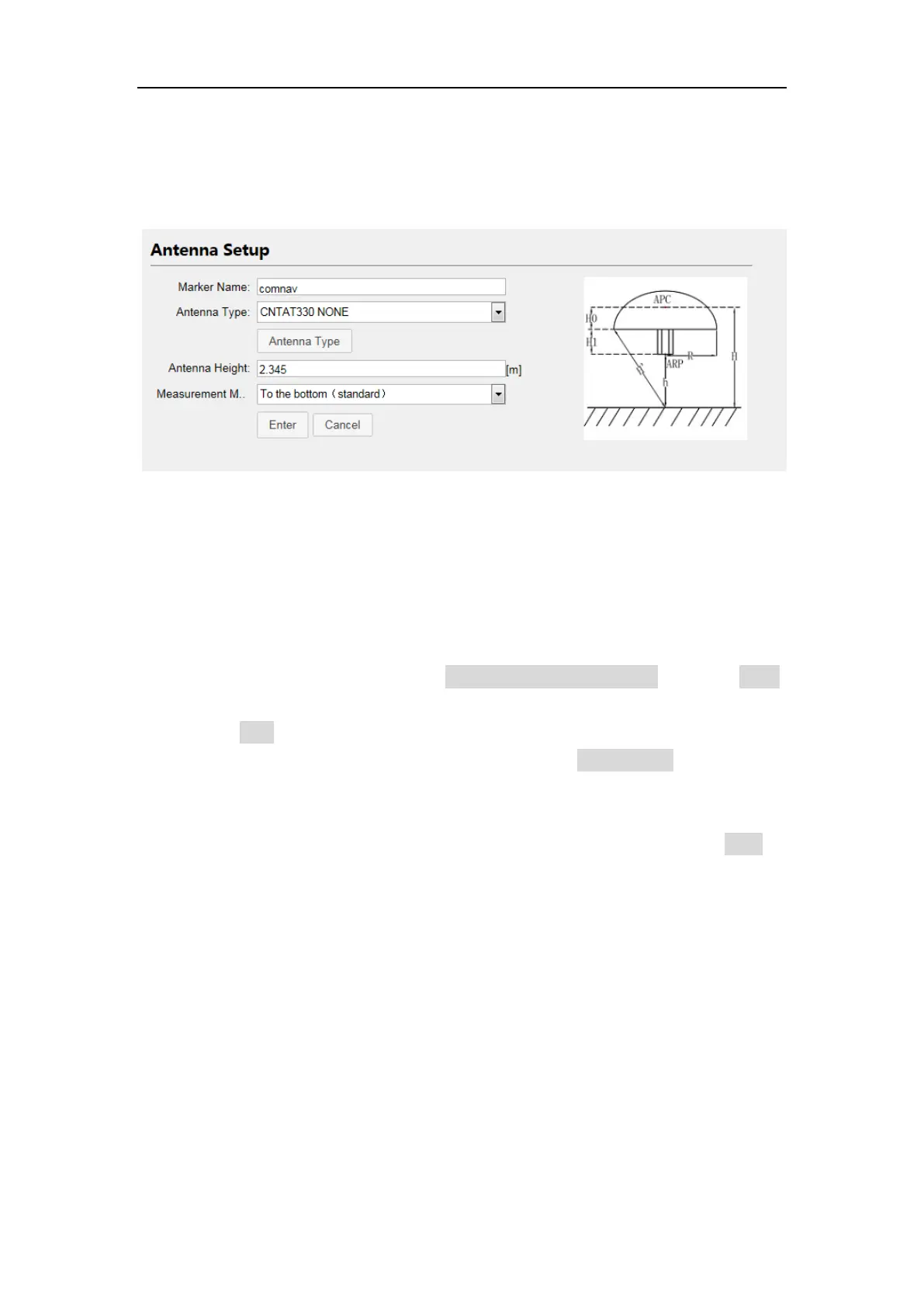
4.3.2 Antenna Setup
Enter the proper values of marker name and antenna height (height limited 0 to
6.5535m), select the antenna type and measurement method.
4.3.3 Base setup
After setting M300Pro in the base mode, the base setup menu is available for you.
However, you can change the base setup only when it’s on manually start station
mode with stopped status.
To configure the base station:
Change base start mode from automatically to manually -> press enter,
ensure that Base Start Mode is on manual
Press Stop to restart editing
Then input coordinates of known sites, or press Get Position button to get
coordinates of the current position
Set proper base station ID based on your project planning
Change base start mode from manually to Automatically, then click Start to
active configuration



 To Next Page