M300 Pro GNSS Receiver User Guide
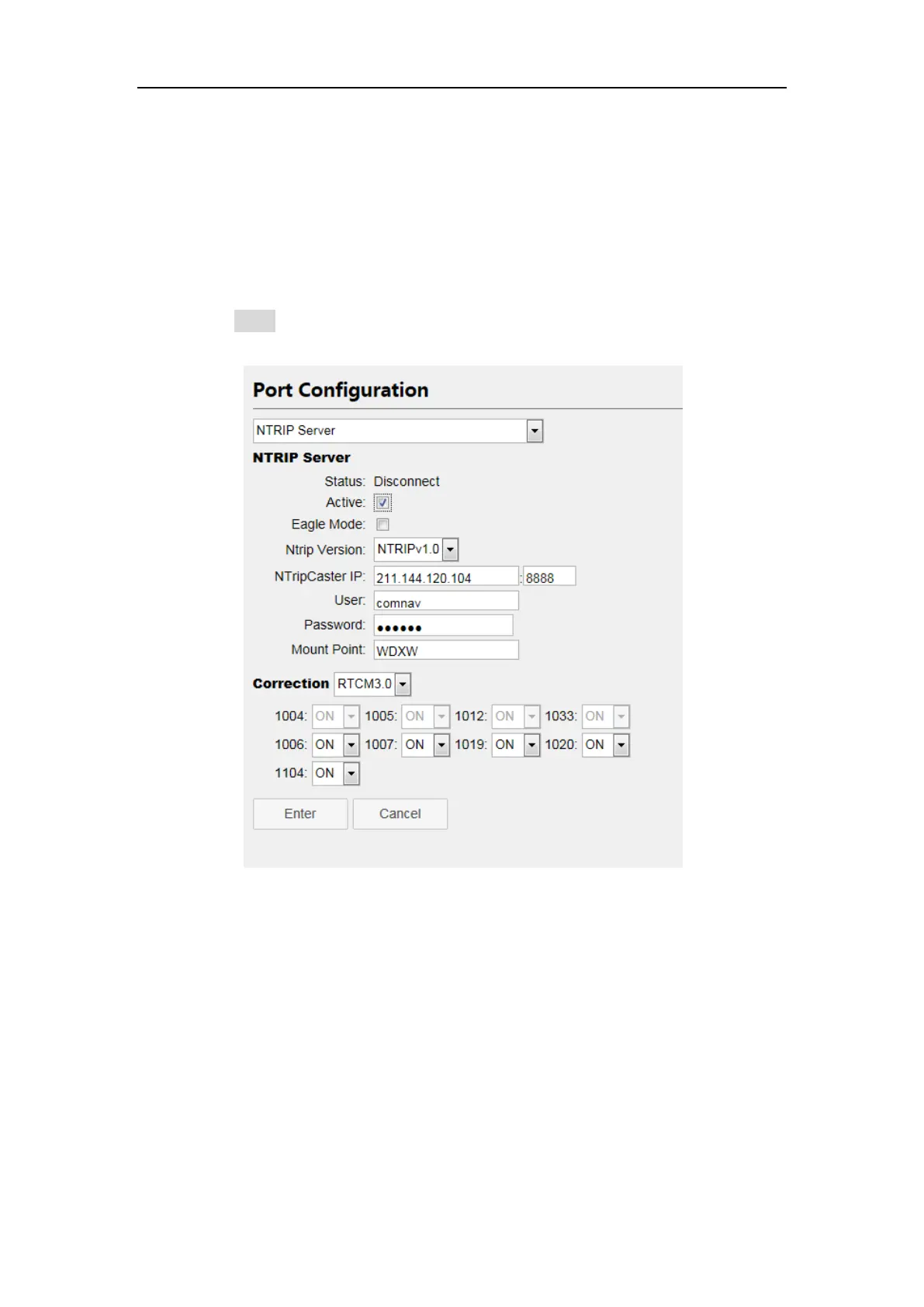
Enter the server IP address as NtripCaster address and NtripCaster port. As
the example showed above, our company’s server is under running:
211.144.120.104: 8888
Set custom username and password (Username and password of our server
can be anything you choose).
Mount point: Ntrip caster mount point
Correction: Choose the format and the corresponding message
Click Enter button, you will transmit the correction data to server.
3. Ntrip Caster
M300Pro can also work as a single reference station and send correction data
through NtripCaster protocol. You need to configure both NtripServer and
NtripCaster when you use this protocol. The setting is shown below:
1. Configuration of NtripServer:
Enable Active button of NtripServer
Set the NtripCaster address and NrtipCaster port; this IP address is the same
as M300Pro IP address, and the port should be mapped by router.
Enter custom username and password
Access point: the Ntrip caster mount point



 To Next Page