M300 Pro GNSS Receiver User Guide
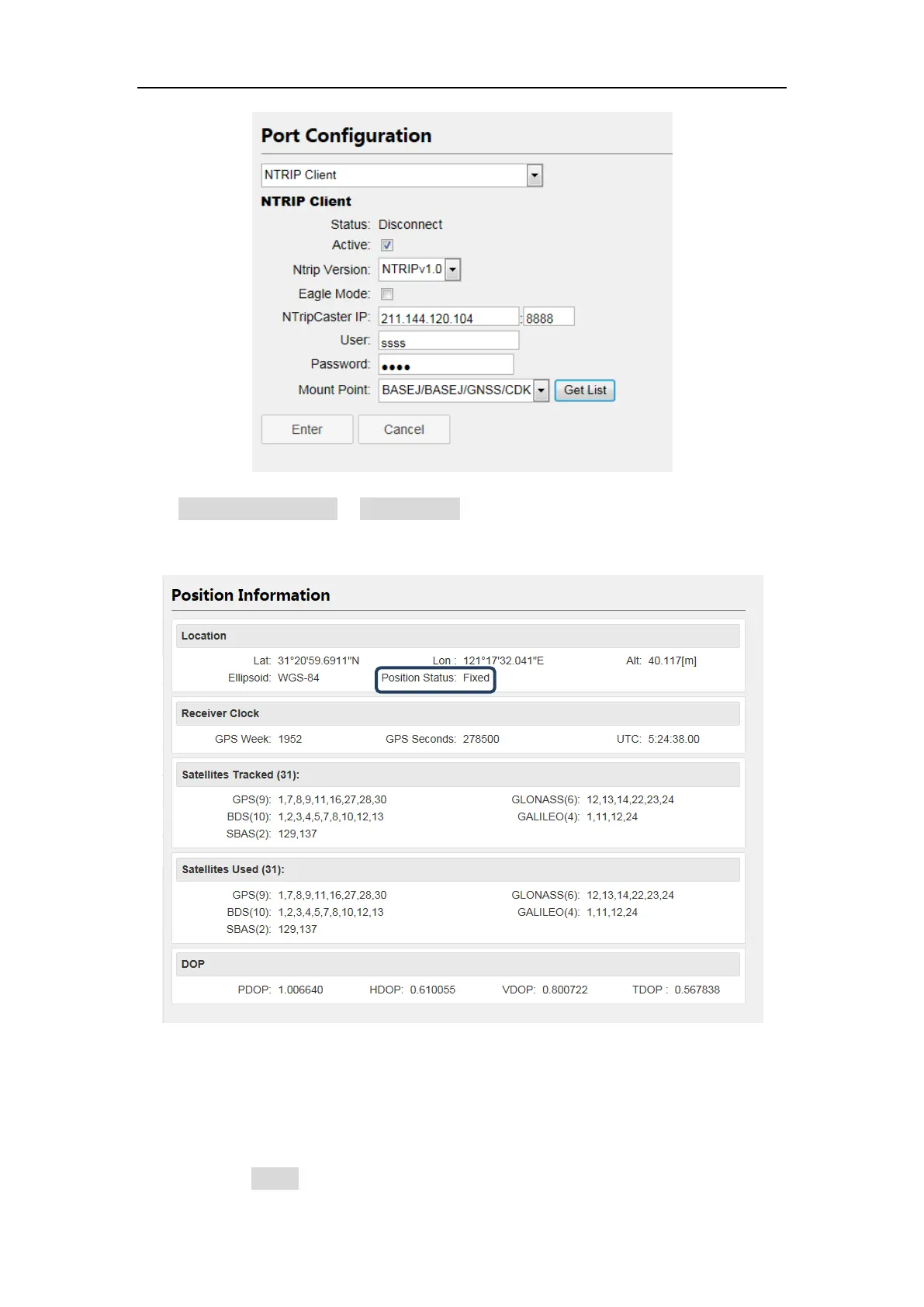
Click position information in Status menu to check the rover’s status, and position
status should be Fixed.
2. Ntrip Server
Before setting the Ntrip Server, you should configure the receiver as Base mode, also
select correction data format as RTCM3.0 or RTCM3.2 (recommended). Then start
Ntrip Server configuration:
Enable Active button



 To Next Page