M300 Pro GNSS Receiver User Guide
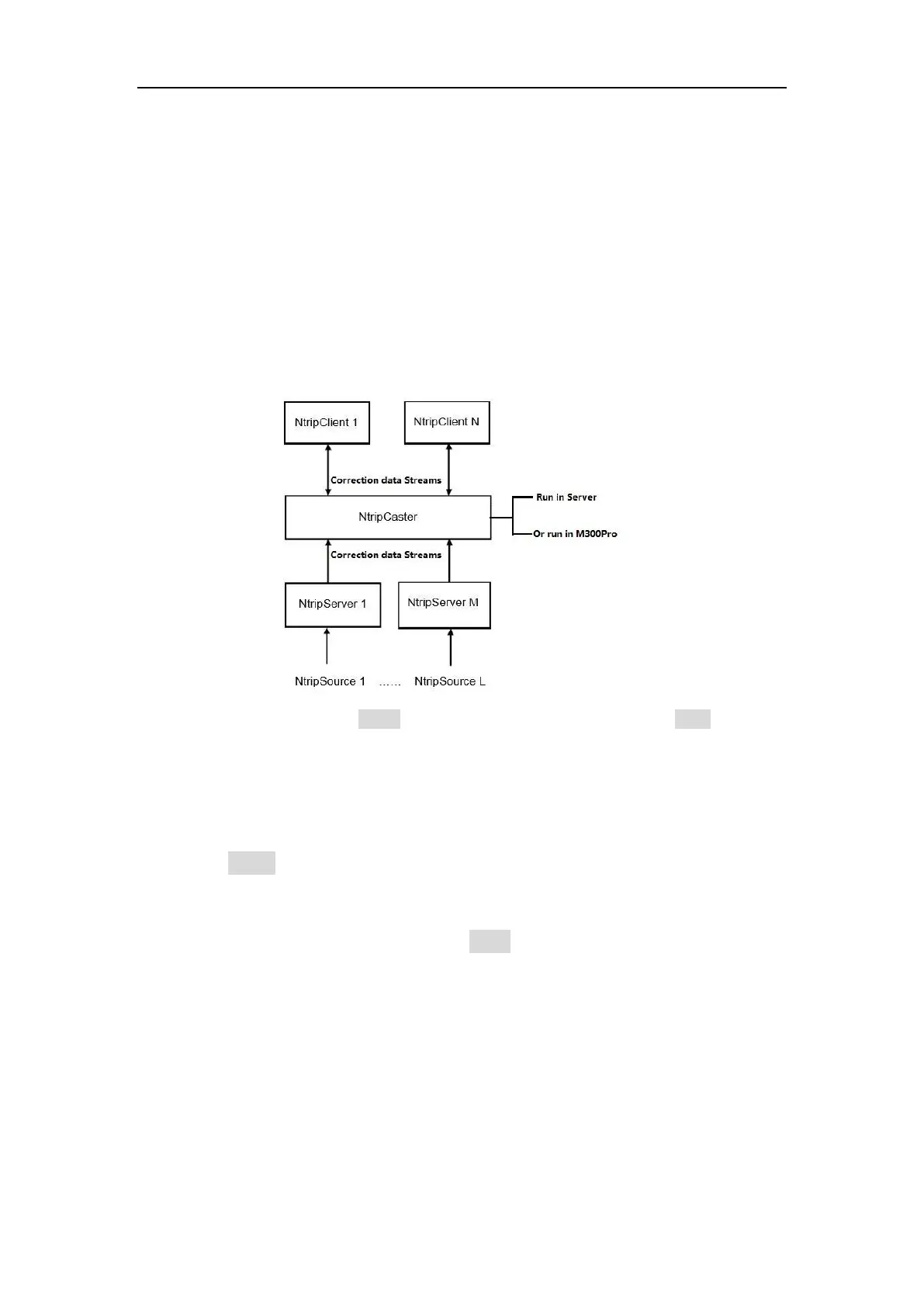
The M300Pro can support NtripClient, NtripServer and NtripCaster protocols. You can
acquire correction data from CORS through Ntrip Client protocol if setting the
receiver as a rover. It is also very easy to transmit correction data as the base station
by using NtripServer and NtripCaster protocol.
For a base station, you can broadcast correction data by using NtripServer protocol
or the data forward software (supporting NtripCaster protocol, such as SinoGNSS’s
CDC+ software) running in the server. If you have a static IP address, you can use
NtripServer and NtripCaster of M300Pro simultaneously to create a single reference
station, this mode does not need any software to support, and is very convenient for
using.
Tips: You need to uncheck all Active (Client, Server and Caster), and click Enter button to
disconnect them before you configure this interface.
1. Ntrip Clients
Before setting the NtripClient, you should configure the receiver as Rover mode.
Enable Active button
Enter IP address, Port, User name and Password of CORS
Click Get List to acquire the Mount Point list
Choose one of mount point and click Enter button, you will receive correction
data from CORS.



 To Next Page