8
Inside the Box
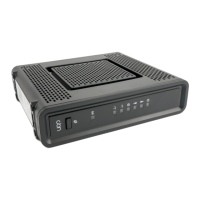
Before you install the CH6643E Wireless Gateway, verify that the following items are
included in the box with the CH6643E:
Connects the CH6643E to an AC electrical outlet
Software License &
Regulatory Card
Contains software license, warranty, and safety
information for the CH6643E.
Provides basic information for setting up the
CH6643E
You must have the latest service packs and patches installed on your computer for your
operating system.
You will need a 75-ohm coaxial cable with F-type connectors to connect the CH6643E to
the nearest cable outlet. If a TV is connected to the cable outlet, you may need a 5 to 900
MHz RF splitter and two additional coaxial cables to use the TV and the CH6643E.


 To Next Page