32
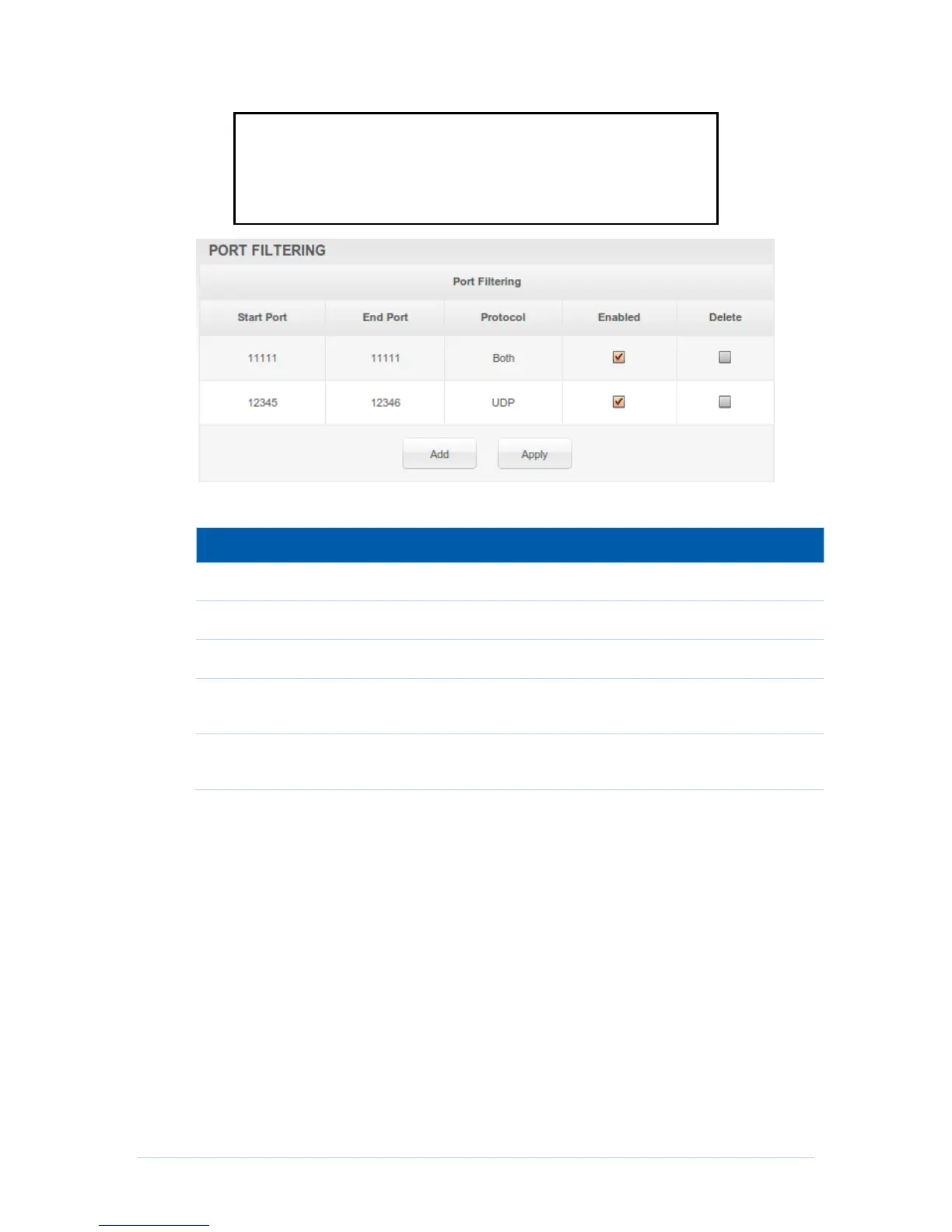
Note: The specified port ranges are blocked for ALL PCs, and this
setting is not IP address or MAC address specific. For example, if you
wanted to block all PCs on the private LAN from accessing HTTP sites
(or “web surfing”), you would set the “Start Port” to 80, “End Port” to 80,
“Protocol” to TCP, checkmark Enabled, and then click Apply.
Field Descriptions for the Advanced Port Filtering Page
Checkmark for each port that you want to activate the IP port
filters.
Checkmark for each port that you want to remove the IP port
filters.
Advanced Port Forwarding Page
This page allows you to run a publicly accessible server on the LAN by specifying the
mapping of TCP/UDP ports to a local PC. This enables incoming requests on specific
port numbers to reach web servers, FTP servers, mail servers, etc. so that they can be
accessible from the public Internet.


 To Next Page