55
Field Descriptions for Remote Management Control
Check the box to allow remote control by web browser.
Web server port on WAN Interface
Enter the port number of web server on WAN interface.
After apply settings, on remote host, you can browse the web page on CH6643E with IP
address on WAN interface and indicated port number, for example: http://x.x.x.x:8080.
Whereas you can get IP address from GATEWAY-BASIC-SETUP page.
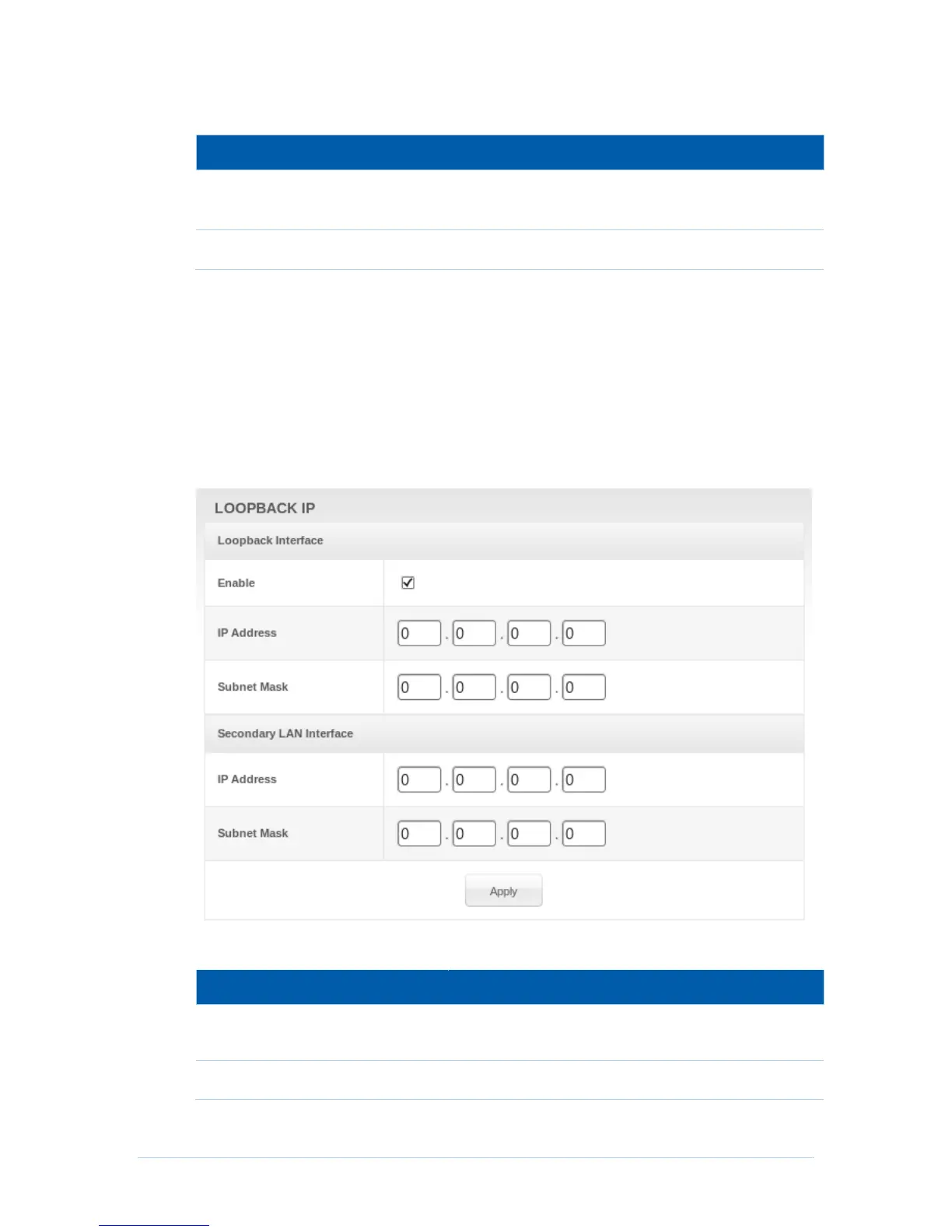
Loopback IP
CH6643E allows to configure a Loopback IP on WAN for the convenience of management.
Furthermore, managers can configure a static IP address, named Secondary LAN Interface,
on WAN for routing purpose.
Field Descriptions for Loopback IP and Secondary LAN Interface
Check the box to allow manager to configure loopback
and Secondary LAN interface.


 To Next Page