31
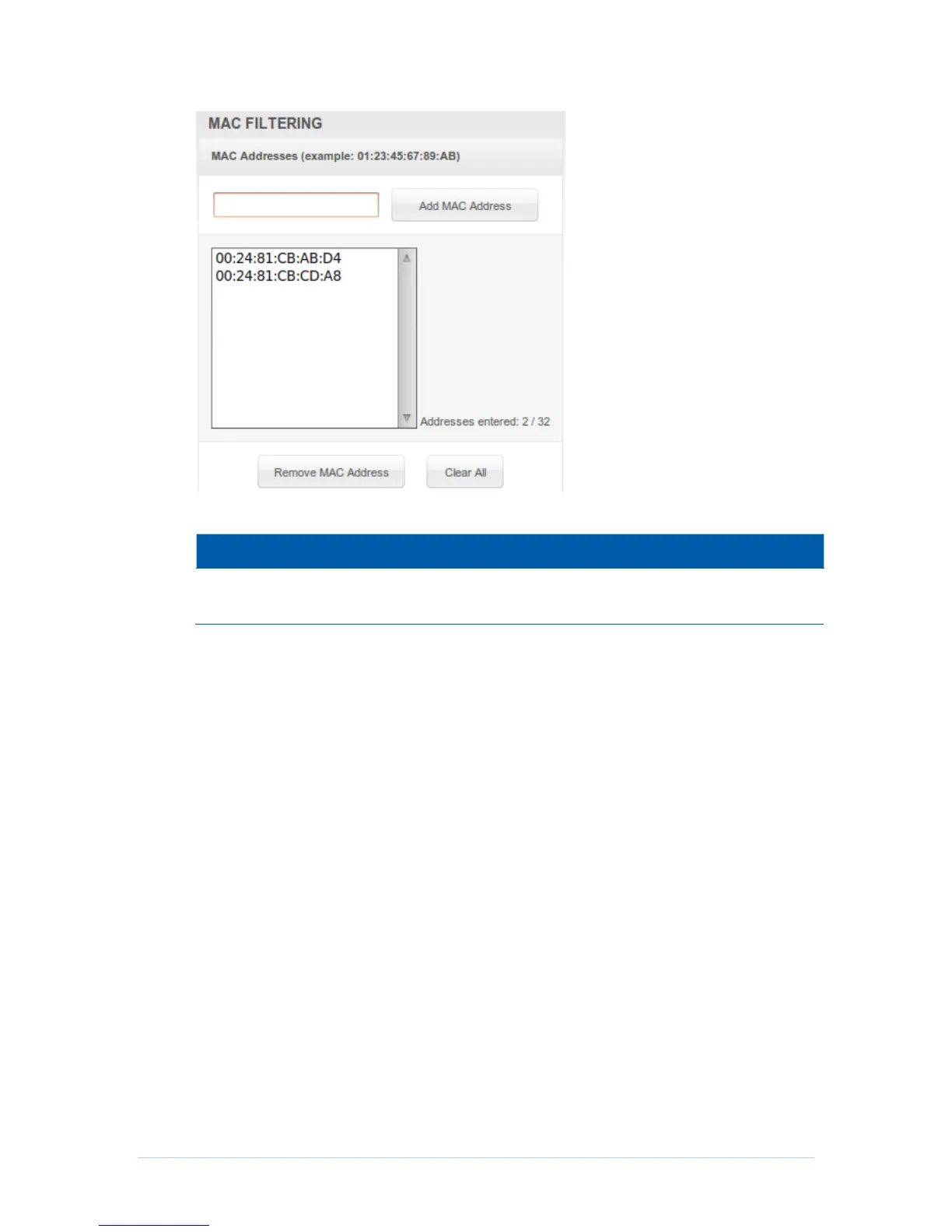
Field Descriptions for the Advanced MAC Filtering Page
Media Access Control address — a unique set of 12 hexadecimal digits
assigned to a PC during manufacturing.
Setting a MAC Address Filter
1. Enter the MAC address in the MAC Addresses field for the PC you want to block.
2. Click Add MAC Address.
3. Repeat above steps for up to twenty MAC addresses.
Advanced Port Filtering Page
This page allows you to define port filters to prevent all devices from sending outgoing
TCP/UDP traffic to the WAN on specific IP port numbers. By specifying a starting and
ending port range, you can determine what TCP/UDP traffic is allowed out to the WAN on
a per-port basis.


 To Next Page