51
The CH6643E support a variety of USB devices including printer and storage. You can
plug USB printers and storages on the device and share them through internet.
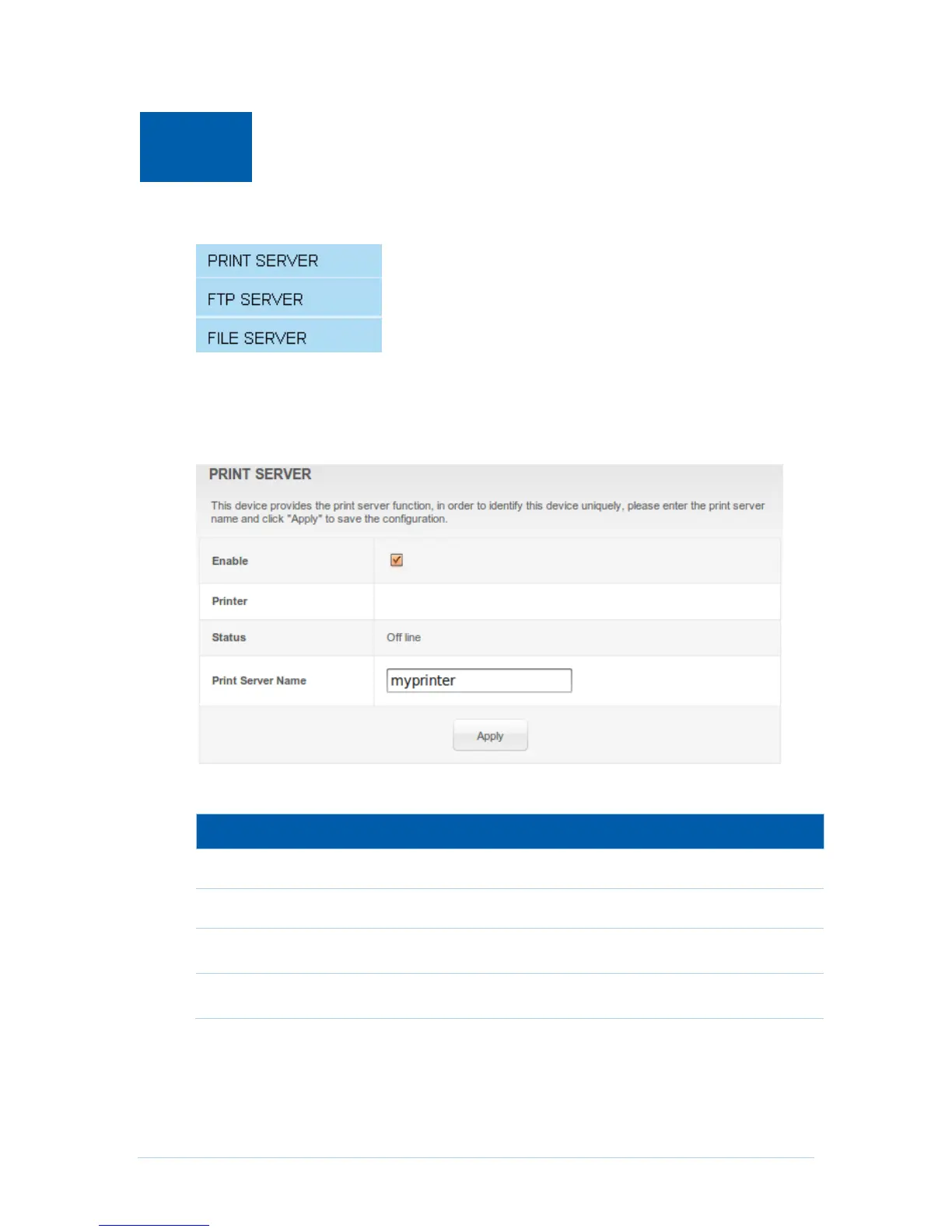
Print Server
CH6643E support USB printer and share it based on Internet Printing Protocol (IPP)
protocol that allow users connect and manage print jobs
Field Descriptions for the Print Server Page
Enable or disable print server.
Status of the printer, maybe idle, busy, off-line or out-of-paper.
The share name set by server let users can connect.
Step of connect print server on windows client:
1. Open the Add Printer Wizard either by going via Start > Settings > Printers
and Faxes, or by opening Printers and Faxes and clicking the Add Printer
icon.


 To Next Page