46
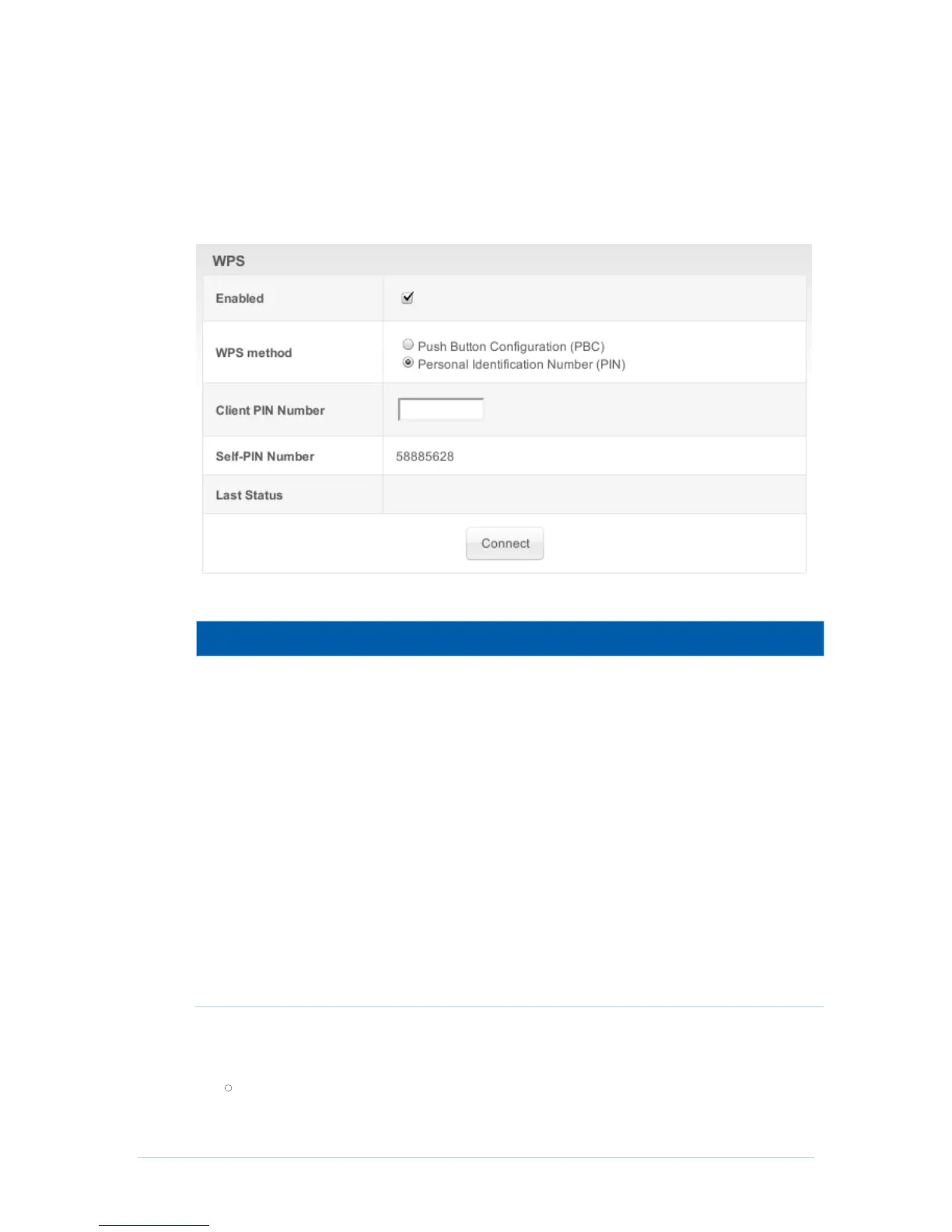
Wireless WPS Page
CH6643E provide WPS (Wi-Fi Protected Setup) function, with it enable will support WPS
clients to join the network very easily. It is a standard for easy and secure establishment
of a wireless network. With WPS you can setup and protect your wireless network in just
a few easy steps.
Field Descriptions for the Wireless WPS Control Page
There are two common ways to establish WPS connection in
CH6643E:
1. Push Button Configuration (PBC): If this option selected, you
can press the “Connect” button below then push the WPS
button on your wireless device (either an actual one or a virtual
one) within 120 seconds to start the handshaking.
2. Personal Identification Number (PIN): A PIN filed will appear
if this option selected, enter the PIN code from your wireless
device and click the below “Connect” button to start the
handshaking
Enter PIN code of wireless device.
CH6643E gateway’s PIN code,
The step of WPS establishment:
PBC


 To Next Page