53
5. The folder structure of the USB mass storage is displayed in the file
browser.
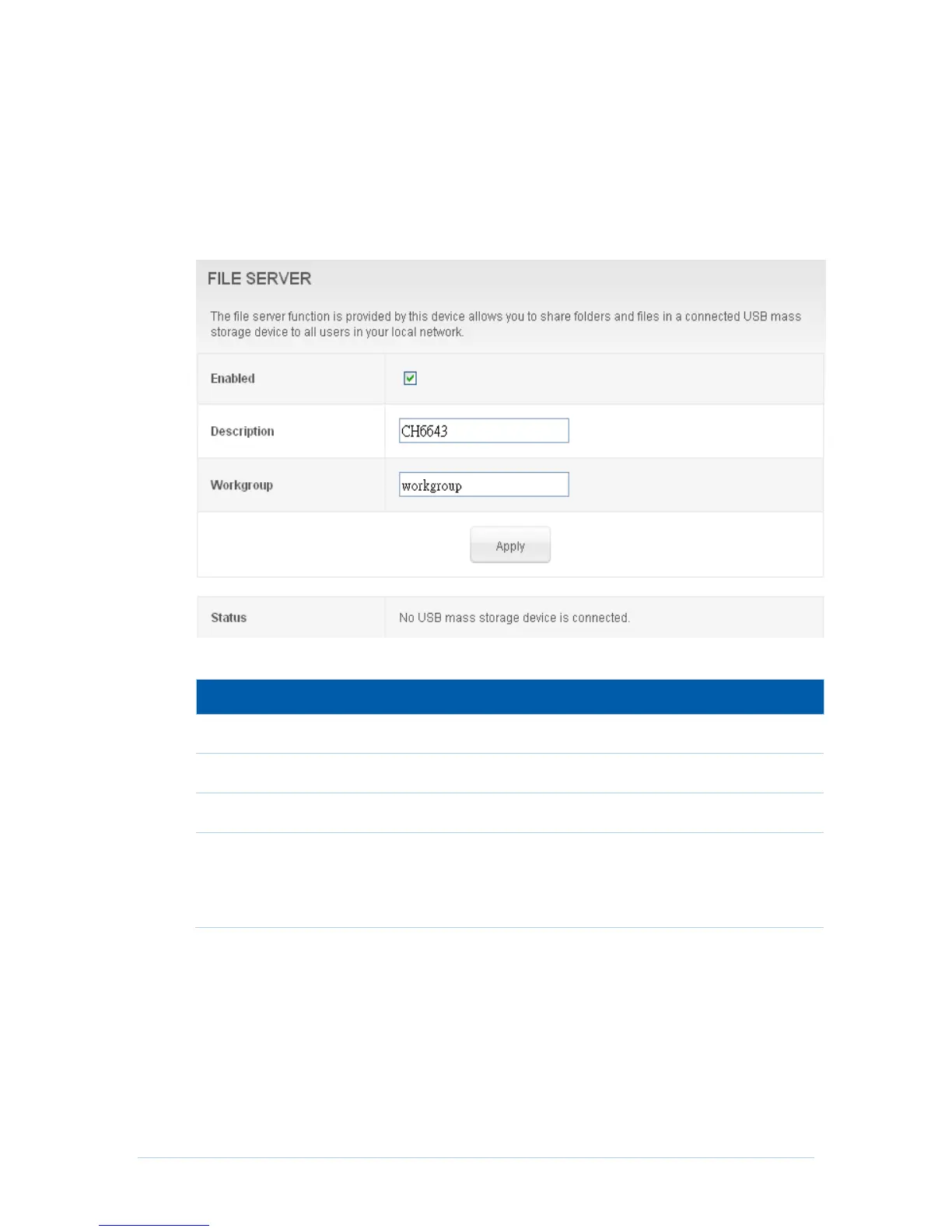
File Server
CH6643E support USB storage and share it based on Samba service that allow users
can login and manage it.
Field Descriptions for the File Server Page
Enable or disable File server.
The server string of samba server.
The workgroup name that the samba server resides on.
Show information about the USB stick, including vendor name,
model name, per partition size and file system type. There is a
“safely remove” button after stick name column to umount disk
including all partition safely.
Step of connect file server on windows client:
1. Open the “Windows Explorer” or double click “My Computer” icon on
desktop.
2. Enter \\192.168.0.1 in the address field and press ENTER.
3. The root directory of multiple USB mass storages are displayed in the
browser, double click the directory you want to browser.
4. The folder structure of the USB mass storage is displayed in the file
browser.


 To Next Page