13
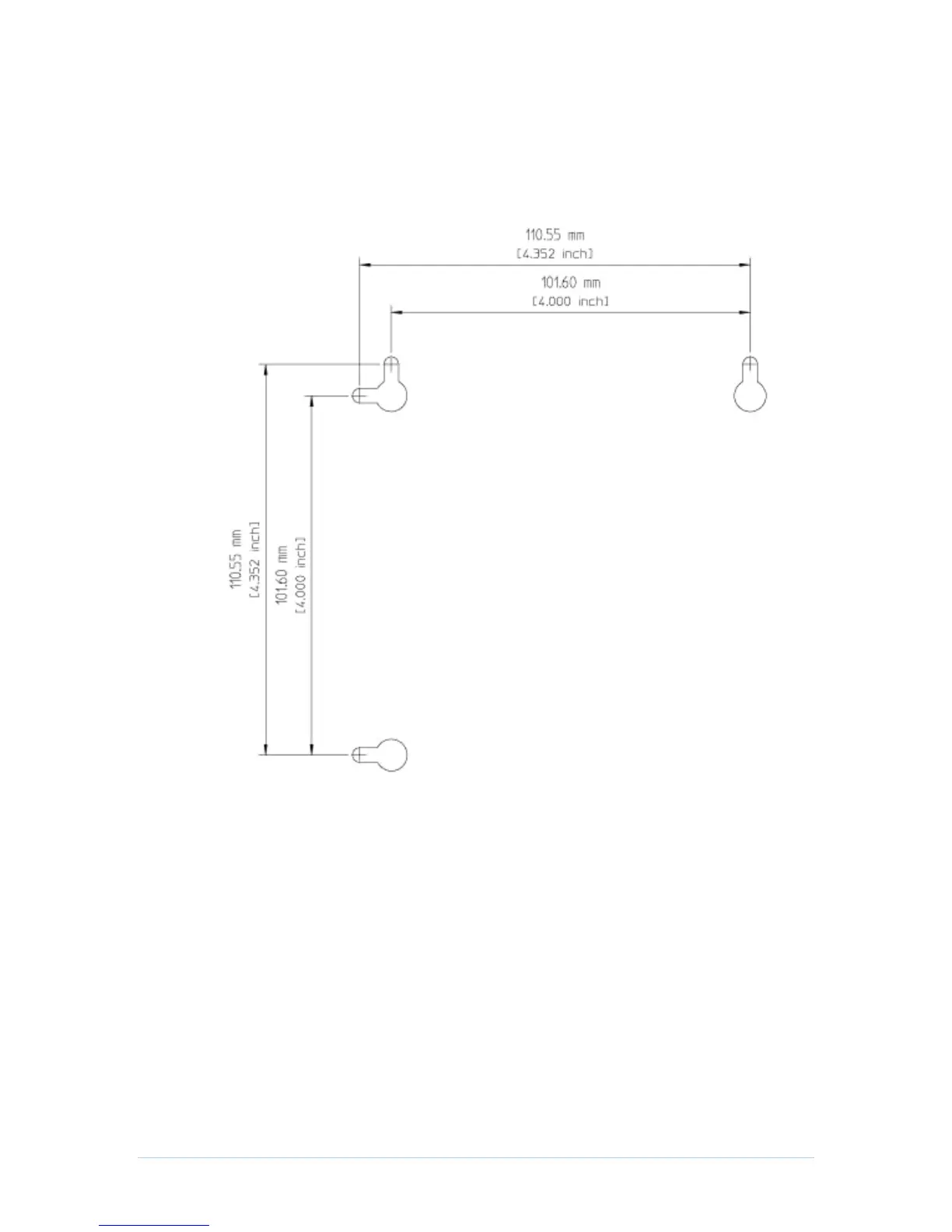
Wall Mounting Template
Figure 1 Wall Mounting Template
Setting Up Internet Access
After installing the CH6643E, check that you can connect to the Internet. You can retrieve
an IP address for your computer’s network interface using one of the following options:
Retrieve the statically defined IP address and DNS address
Automatically retrieve the IP address using the Network DHCP server
The CBN CH6643E Wireless Gateway provides a DHCP server on its LAN. It is
recommended that you configure your LAN to obtain the IPs for the LAN and DNS server
automatically.


 To Next Page