Chapter 4 Hardware Installation
11
8. Check that the Power LED at the front panel of Compex SXP2224WM has
lighted up. The unit is now ready to use.
4.2 Rack installation
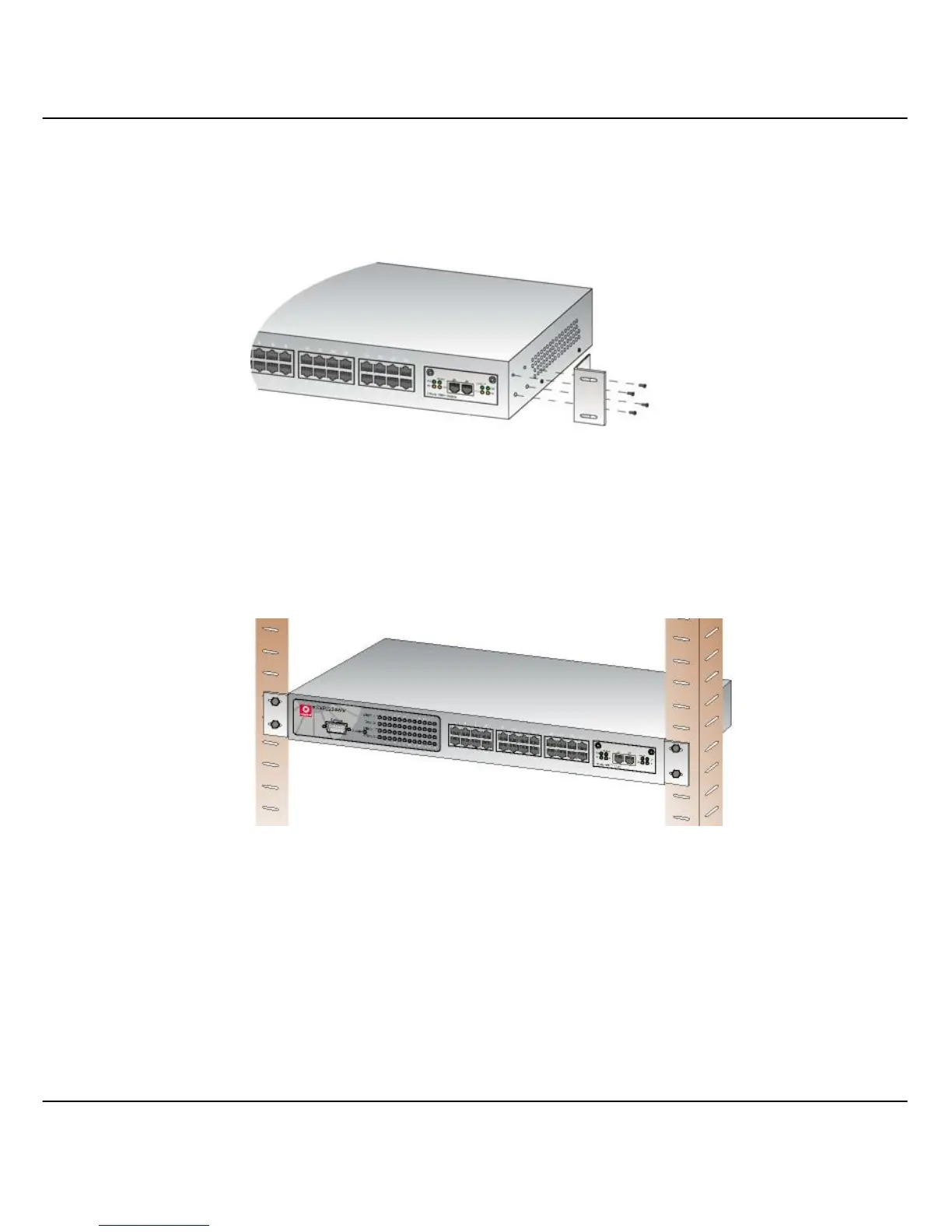
Figure 4.2a Secure brackets onto Compex SXP2224WM
1. Position one bracket to align with the holes on one side of Compex
SXP2224WM and secure it with the smaller bracket screws (3mm diameter) as
shown in Figure 4.2a. Then attach the other bracket to another side of it.
Figure 4.2b Compex SXP2224WM on rack
2. After attaching both mounting brackets, position the device in the rack by lining
up the holes in the brackets with the appropriate holes on the rack. Secure it to
the rack using the rack-mounting screws (8mm diameters) with a screwdriver.
3. Insert the power cord to the socket located at the back of Compex
SXP2224WM.
4. Use a RJ45 network cable and insert to any of the port and power on the switch.



 To Next Page