Chapter 7 Miscellaneous Operation
33
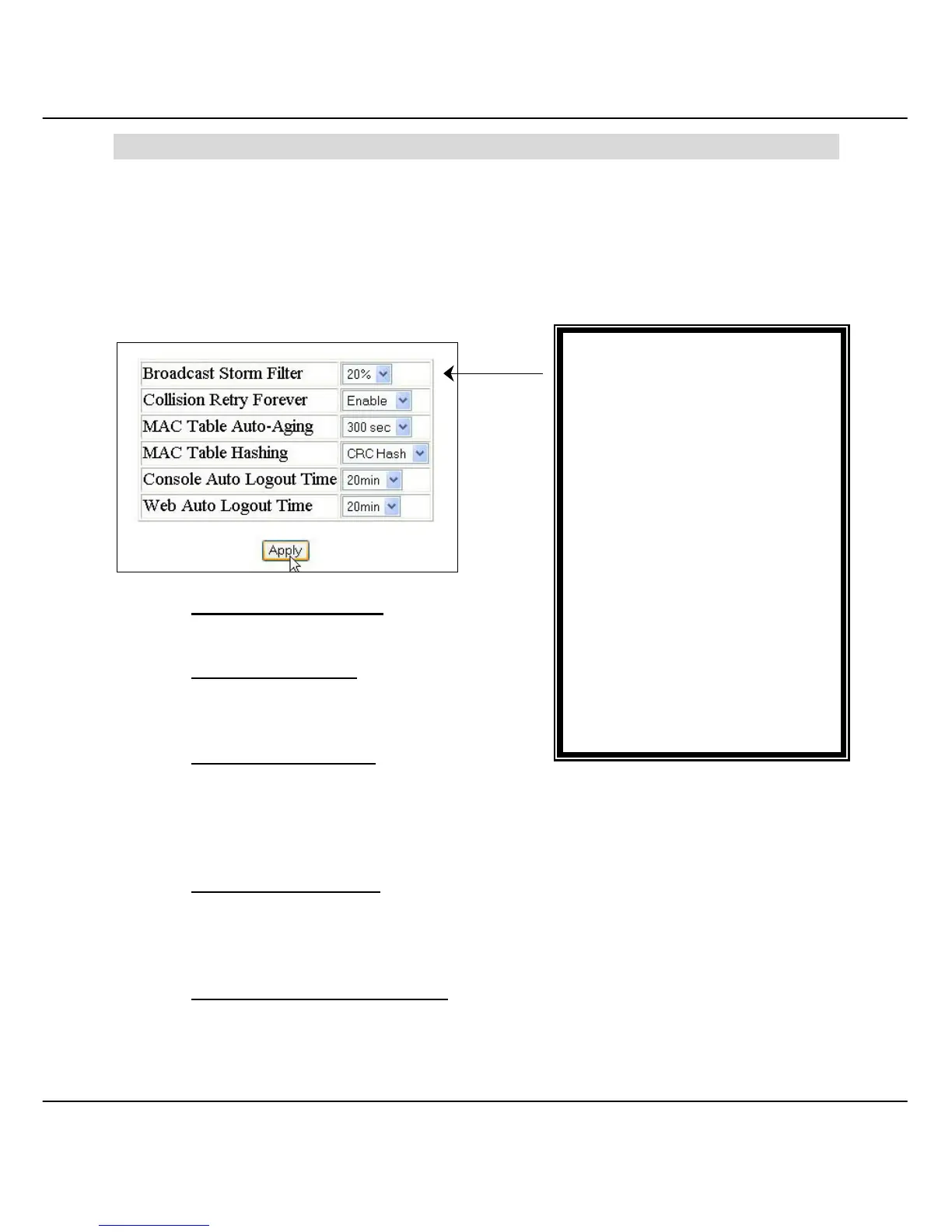
Broadcast Storm Filter:
• 5%, 10%, 20%, off
Collision Retry Forever:
• Disable, Enable
MAC Table Auto-Aging:
• Disable
• 150 sec, 300 sec, 600 sec
MAC Table Hashing
• CRC Hash, Direct Map
Console Auto Logout Time
• Never, 5 min, 10 min, 20 min
Web Auto Logout Time
• 5 min, 10 min, 20 min
Chapter 7 Miscellaneous Operation
This chapter will brief on how to configure system related settings, e.g. changing of password,
IP configuration, restore the setting to factory default and configuring auto aging, etc.
7.1 Advanced Switch Configuration
MAC Table Auto-Aging
MAC address table refresh time setting.
MAC Table Hashing
This Hash Algorithm is for hardware
maintain on MAC table calculation.
Broadcast Storm Filter
A broadcast storm occurs when a switch port receives a large number of broadcast
packets, and forwarding these packets causes the network to slow down or time out.
In order to prevent this, broadcast storm filter function is implemented to solve
performance degradation.
Collision Retry Forever
Upon disabling this function, the switch will retry 48 times and then drop the frame
when collision occurs in half duplex mode. However, if you enabled this function, the
switch will retry forever when collision occurs.
Console/Web Auto Logout Time
If you stay idled in the console/web interface after the respective set time, the switch
will automatically logout from the console/web interface.



 To Next Page