Chapter 6 Configure Compex SXP2224WM using Web Interface
21
6.3.1 Examples on Port Trunking
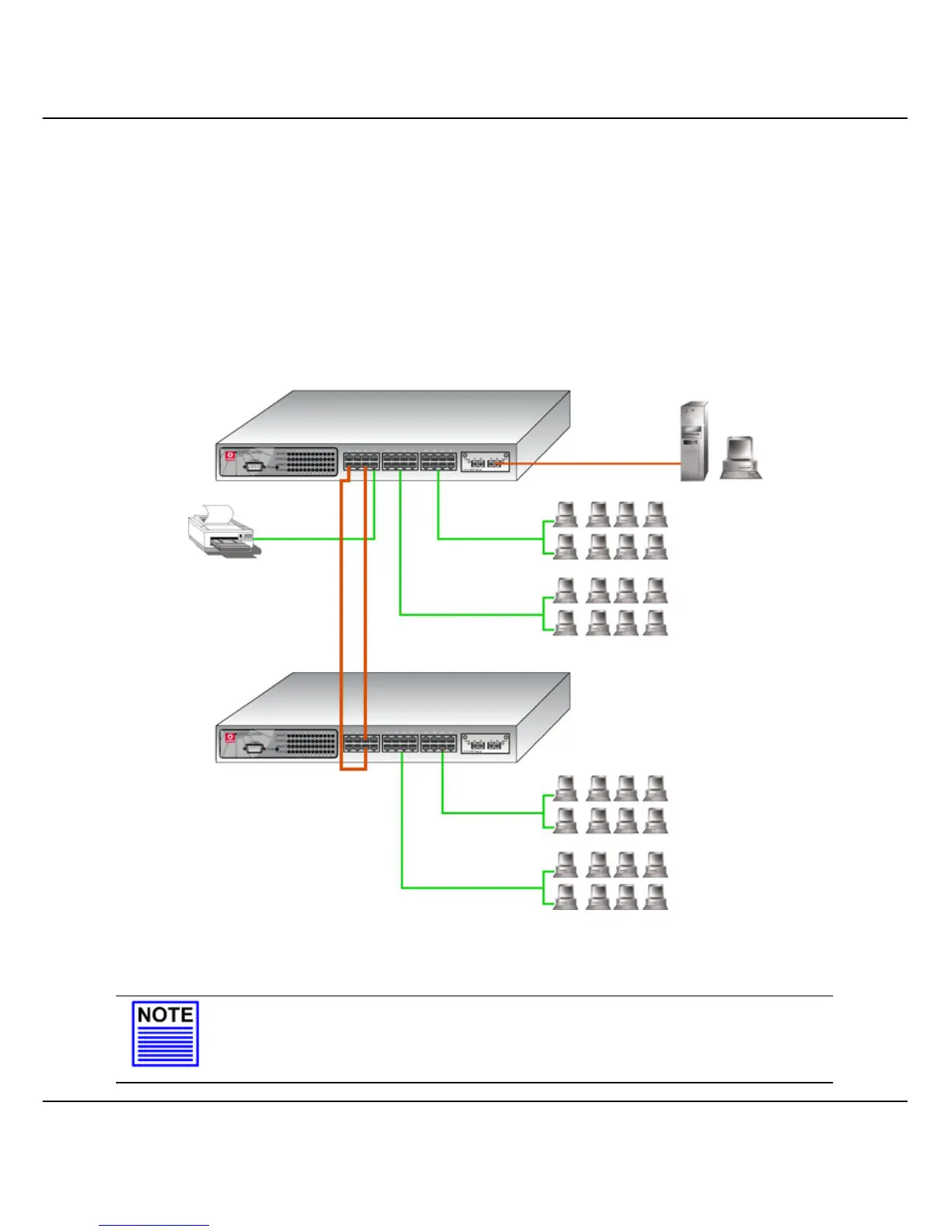
From Figure 6.3b, two Compex SXP2224WM units are used to perform the
trunking ability. For unit 1, port 1 and 5 are selected as trunking ports; and
port 26 is connected to a control station. For unit 2, port 5 and 6 are selected
as trunking ports. After selecting the respective trunking group for
individual switches, all SXP2224WM units combined the bandwidth to
increase the network speed.
Figure 6.3b Physical Set up of Port Trunking
NOTE
Port 25 and 26 are not allowed to set as trunking ports. Also note that you
cannot set port 25 and 26 as trunk ports if they are configured as monitoring or
monitored ports.
SXP2224WM Unit 1
192.168.100.128
Control station
SXP2224WM Unit 2
192.168.100.129



 To Next Page