Chapter 6 Configure Compex SXP2224WM using Web Interface
29
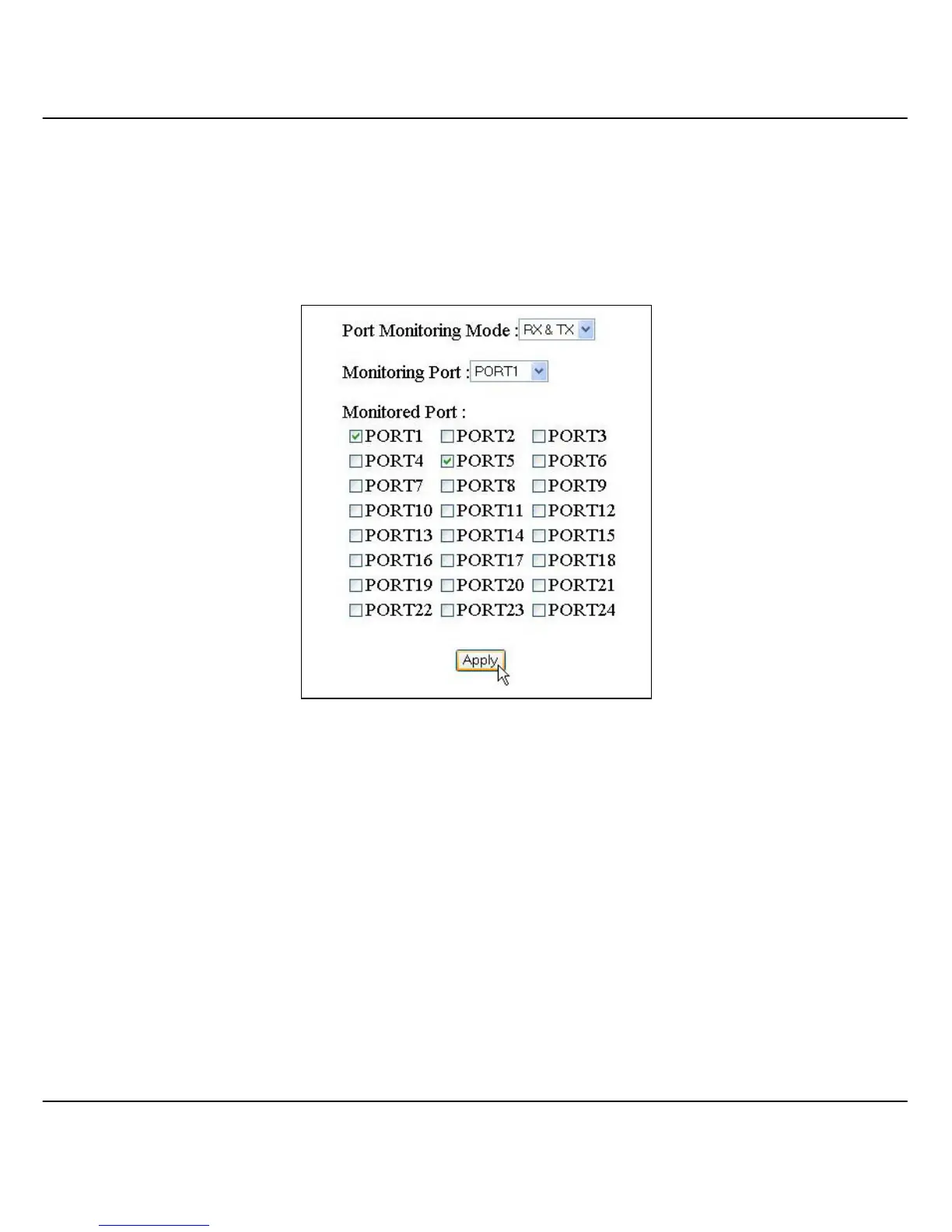
1. Go to Port Monitoring option from the main menu.
2. Select “RX & TX” in the Port Monitoring Mode field.
3. Choose port 24 as a monitoring port
4. Put a tick at the check box of port 1 and 5 to set as a monitored ports.
Figure 6.5c Configuration on Port monitoring
5. Click on the “Apply” button to update the changes.



 To Next Page