Compool Cp3000
28
MULTIPLE PROGRAMS
A total of four operating cycles may be programmed each piece of equipment. To program multiple operating cycles,
follow steps 1 to 6 on the BASIC PROGRAM, and then press the Equipment Key a second time. The display will
indicate PROG 2, plus a blinking START TIME. Repeat steps 3 to 6 to program a second START TIME and RUN
TIME. If additional cycles are desired, repeat this procedure for PROG 3 and PROG 4.
Note: If only one operating cycle is programmed, PROG will be displayed. PROG 1 indicates that multiple operating
cycles have been programmed for that equipment.
COUNTDOWN TIMER PROGRAM
It is possible to program a “COUNTDOWN TIMER” for any piece of equipment, so that, whenever that equipment is
activated manually it will run for its predetermined length of time and then automatically shut-off. This energy saving
program is particularly useful for programming the Spa to shut-off after a few hours.
The COUNTDOWN TIMER is programmed by setting the START TIME to 0:00 hours and setting the RUN TIME
to the desired time you wish the equipment to run. The RUN TIME can be set (in 10 minute increments) for any length
of time from 10 minutes (0:10) to 23 hours and 50 minutes (23:50). This feature may be combined with any other
program (i.e. if PROG 1 is already used, use PROG 2, PROG 3, or PROG 4).
Note: If there is no COUNTDOWN TIMER program, the equipment will automatically shut-off after 12 hours.
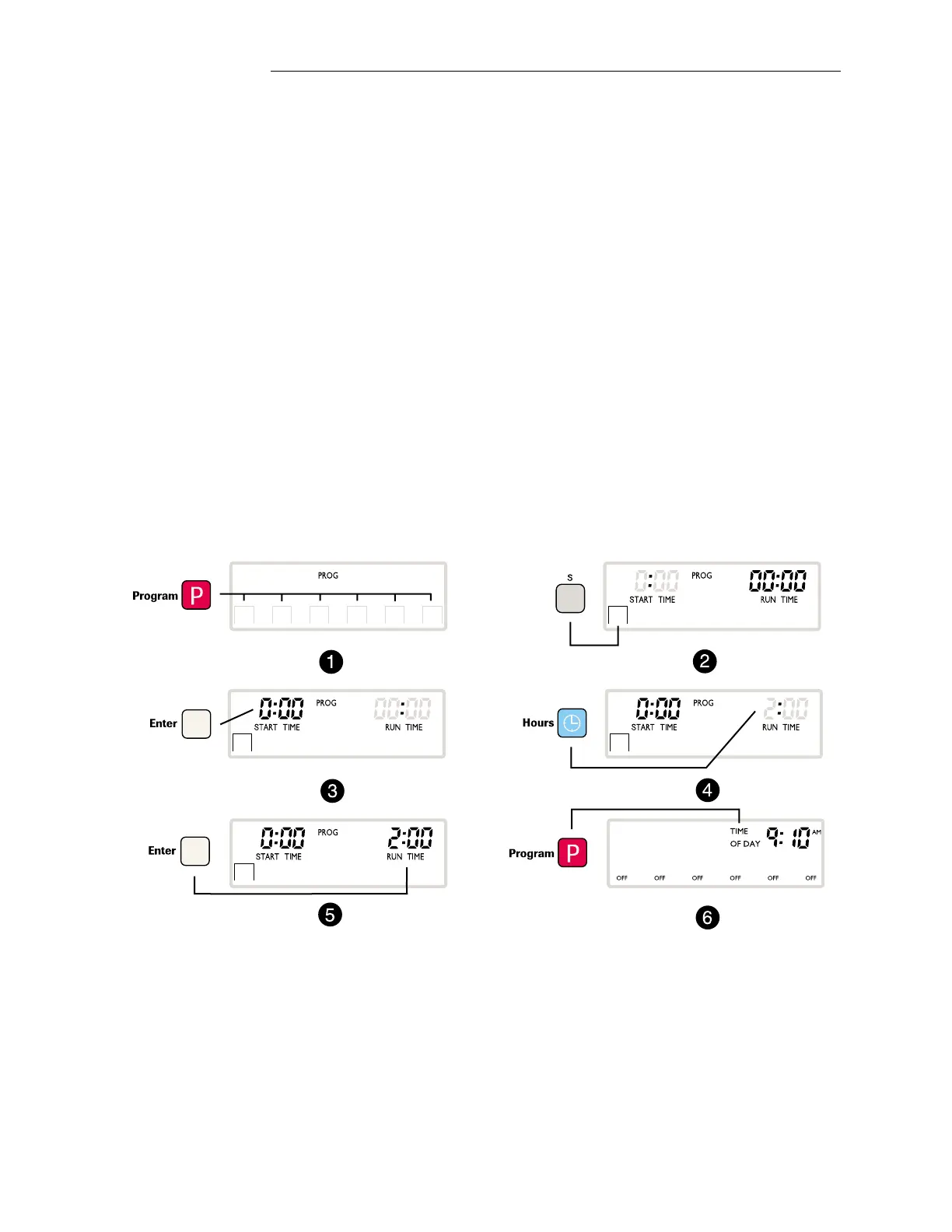
The following example programs the Spa to shut-off after two hours:
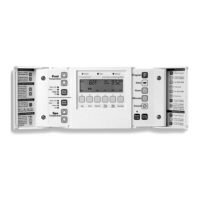
1. Press the Program Key to start the program.
2. Press the Equipment Key “S” to program the spa.
3. Press the Enter Key to save the START TIME at 0:00.
4. Press the Hours Key to set the RUN TIME (example 2 hours).
5. Press the Enter Key to save the RUN TIME.
6. Press the Program Key to return to the normal operating mode.
➥
➥
Operating Instructions


 To Next Page