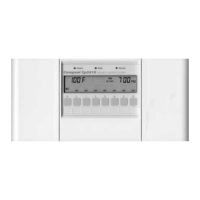
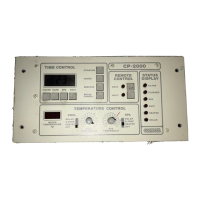
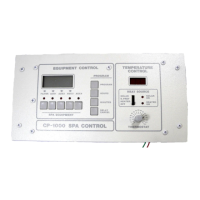
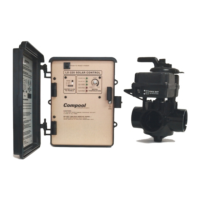
Compool Cp3000
37
PROBLEM SOLVING
DISPLAY READS “Err"
1. At the Lx3000 Power Center, check the Water Temperature Sensor Status lamp.
2. If lamp is illuminated, check cable and connections to Sensor.
3. If necessary, replace Sensor (model TS-5L).
INCORRECT TEMPERATURE READING
Calibrate temperature sensor. See CALIBRATING TEMPERATURE SENSORS.
HEATER DOES NOT OPERATE
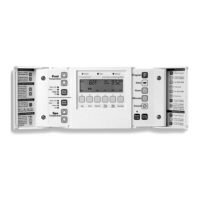
1. At the Cp3000 Controller, press Key #S (turn on the spa).
2. Make sure that preset temperature setting for the spa is higher than the current water temperature.
3. At the heater, make sure that the ON-OFF switch is “ON” position and temperature dial is set to highest setting.
CANNOT SELECT SOLAR HEATING
At the Lx3000 circuit board, locate “FEATURES” Program Switch, and make sure that (SOLAR) is in the “ON”
position.
SOLAR HEATING NOT ON WHEN IT SHOULD BE
1. At the Cp3000 Controller, make sure that either the pool or spa is being circulated.
2. The Cp3000 system has a 10° Fahrenheit solar differential. This means that if the pool temperature is 80°
Fahrenheit, the solar temperature must be 90° Fahrenheit or higher before the solar system is activated.
3. Check calibration of Solar Temperature Sensor. ADJ 2 will indicate the current solar temperature. If
temperature display is not correct, then adjust calibration as necessary.
EQUIPMENT DOES NOT TURN OFF AT EXPECTED TIME
1. Manual activation of equipment will override any daily operating cycle which may be in effect. If the equipment
was turned on manually, it will run for 12 hours and automatically turn off.
2. At Cp3000 Controller, verify that the problem is not program-related. If you see PROG 1 while reviewing
programs, then that equipment has more than one program. Press same Equipment Key again to view additional
programs. Cancel programs as needed. See Programming for details
3. It is normal for the freeze protection circuitry to turn equipment on when the temperature falls to 35° Fahrenheit.
At the Lx3000 circuit board, locate 7-position “FREEZ PROT” Program Switch, and determine which circuits
have been selected for freeze protection.
EQUIPMENT TURNS OFF AFTER 12 HOURS
1. This is normal if equipment is turned on manually. A built-in 12 hour shut-off will always turn your equipment
off.
2. This function overrides programs that have both a START TIME and a RUN TIME.
Problem Solving


 To Next Page