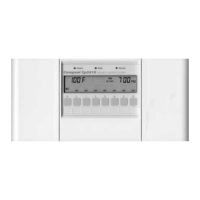
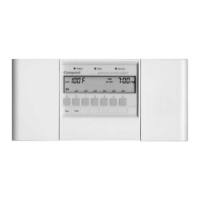
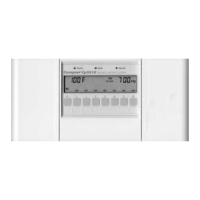
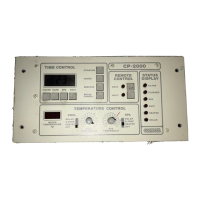
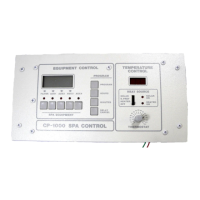
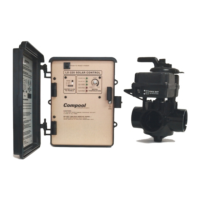
Compool Cp3000
31
Note: A blinking “Auto” Status Lamp indicates that the equipment is undergoing a 3-Hour program override. See 3-
HOUR FILTER OVERRIDE for details.
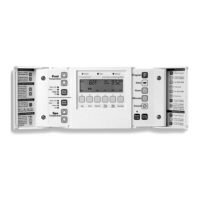
• Service: This mode disables the Cp3000 Controller and provides your Pool Serviceperson with complete
manual-override capability, using the various Equipment Service Keys at the Lx3000.
Note: Manual-activation of equipment from the Lx3000, will override any of the built-in equipment interlocks and
safety delay circuits.
EQUIPMENT SERVICE KEYS
Key #S:
Pressing this Key will manually toggle the Intake and Return Valve Actuators through the following options:
• Spa: Rotates both Valves to spa circulation.
• Fill: Rotates Intake Valve to pool suction and Return Valve to spa return positions.
• Drain: Rotates Intake Valve to spa suction and Return Valve to pool return positions.
Note: If there is no Status Lamp, both Valves will rotate to pool circulation.
Key #P:
Manually activates the filter pump.
Key #1:
Manually activates equipment connected to Aux1 circuit. Overrides Equipment Key #1 at the Cp3000 Controller.
Note: If the system incorporates an automatic pool cleaner, it is controlled by this circuit.
Keys #2 - #4:
Manually activates equipment connected to Aux2 through Aux4 circuits. Overrides Equipment Keys #2 through #4
at the Cp3000 Controller.
Keys #5 - #6:
Manually activates equipment connected to Aux5 and Aux6 circuits. Overrides Equipment Keys at Spa-Side Remote.
Heater Key:
Manually activates the heater (filter pump must also be on).
Solar Key:
Manually activates the solar valve and/or solar booster pump (if applicable).
TEMPERATURE SENSOR STATUS LAMPS
If the Control System is not receiving accurate information from a Temperature Sensor, the appropriate Status Lamp
will illuminate. Check cable and connections to appropriate Sensor. If necessary, replace Sensor (model TS-5L).
3-HOUR FILTER OVERRIDE
It is possible for the Pool Serviceperson to override the daily equipment operating cycles, and manually activate (or
deactivate) any piece of equipment for a 3-Hour period. This is particularly useful when adding chemicals to the pool.
Operating Instructions


 To Next Page