3.4 TraceCace Fit 2
24
•
•
•
•
•
•
3.4 TraceCace Fit 2
3.4.1 Inserting/Removing the Smartphone
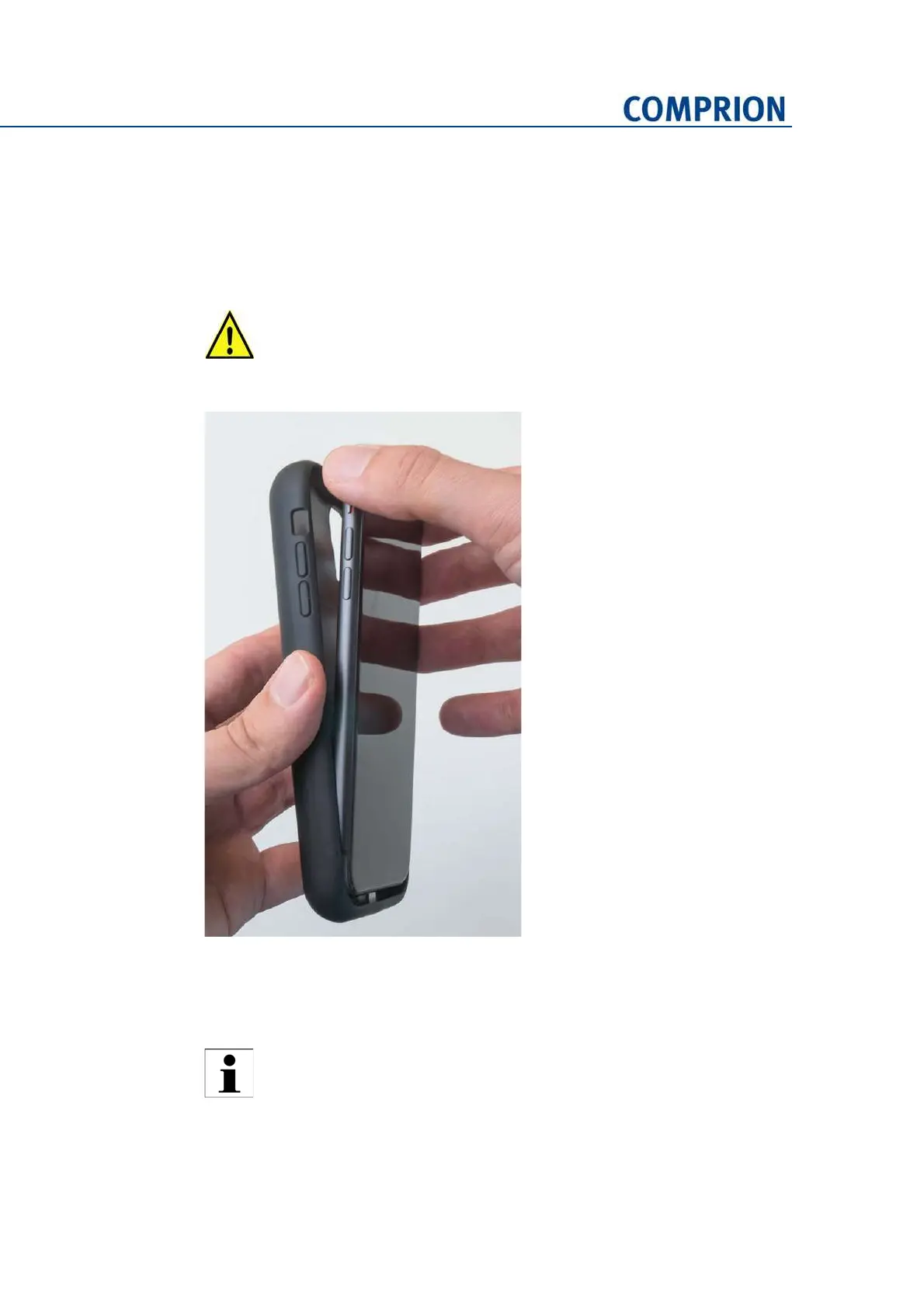
► Insert/remove the smartphone as indicated in the following photo:
Figure 3-20 Smartphone insertion/removal
3.4.2 Charging the Battery
► Use the micro‐USB cable to charge the battery at least for six hours before first use.
Pay attention to the angle when inserting/removing the smartphone! If you
use an angle wider than ~15°, you can cause damage to the connector!
Do not charge the battery while tracing. The charger may cause electromag‐
netic interference that can lead to a distortion of the traced signals.
The battery of the smartphone is not charged via the micro‐USB connector of
TraceCace Fit 2! Remove the smartphone from TraceCace Fit 2 before
charging the battery of the smartphone.


 To Next Page