TM
Troubleshooting
Welcome to the Troubleshooting section of the DR-2000 Install Guide. Here you should be able to
find answers to most of your questions. If you cannot resolve your problem then we are available at
Firstech Monday through Friday 8 AM to 5 PM PST - 888-820-3690.
LED Diagnostics
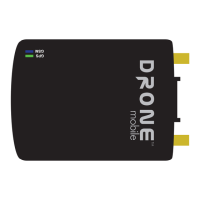
For optimum performance DroneMobile should be mounted away from metal panels that may prevent
the DR-2000 from locking onto GPS or cellular signal. Once a suitable location is found, mount the
unit using two or more zip ties or double side tape. If possible mount so that the LEDs are visible for
troubleshooting. Observe caution when mounting to avoid tension on the harness as it may come
loose or damage the DR-2000.
Once the SIM is active and all connections made, connect the harness to the DR-2000. The LEDs will
light up. The following table shows the behavior of those LEDs
LED
When First
Connecting
During
Transmission
and
Receiving
When Signal
is Locked
When Drone
is Asleep
Roaming
Signal Not
Available
Cell Signal (Blue) Solid Solid
One Flash,
Pause, Repeat
N/A Two Flashes Three Flashes
GPS Signal (Green) Solid Solid Slow Flash Off N/A
Frequently Asked Questions
Q: What other Firstech products are compatible with the Drone?
A: Drone is compatible with CM5000, CM5200, CM6000, CM6200, and CM6300 control modules.
Make sure they are updated with the latest firmware. If using a Blade module make sure it is a Blade
AL and that the firmware is Drone Gateway Compatible on www.idatalink.com.
23 | Copyright 2011 Firstech, LLC.
DR-2000 Install Guide


 To Next Page