UT-4500 Series C- and Ku-Band Up Converters MN/UT4500.IOM
Ethernet Interface Operation Revision 3
7–16
7.5.2.2 Admin | SNMP
Sect. 7.2 SNMP Interface
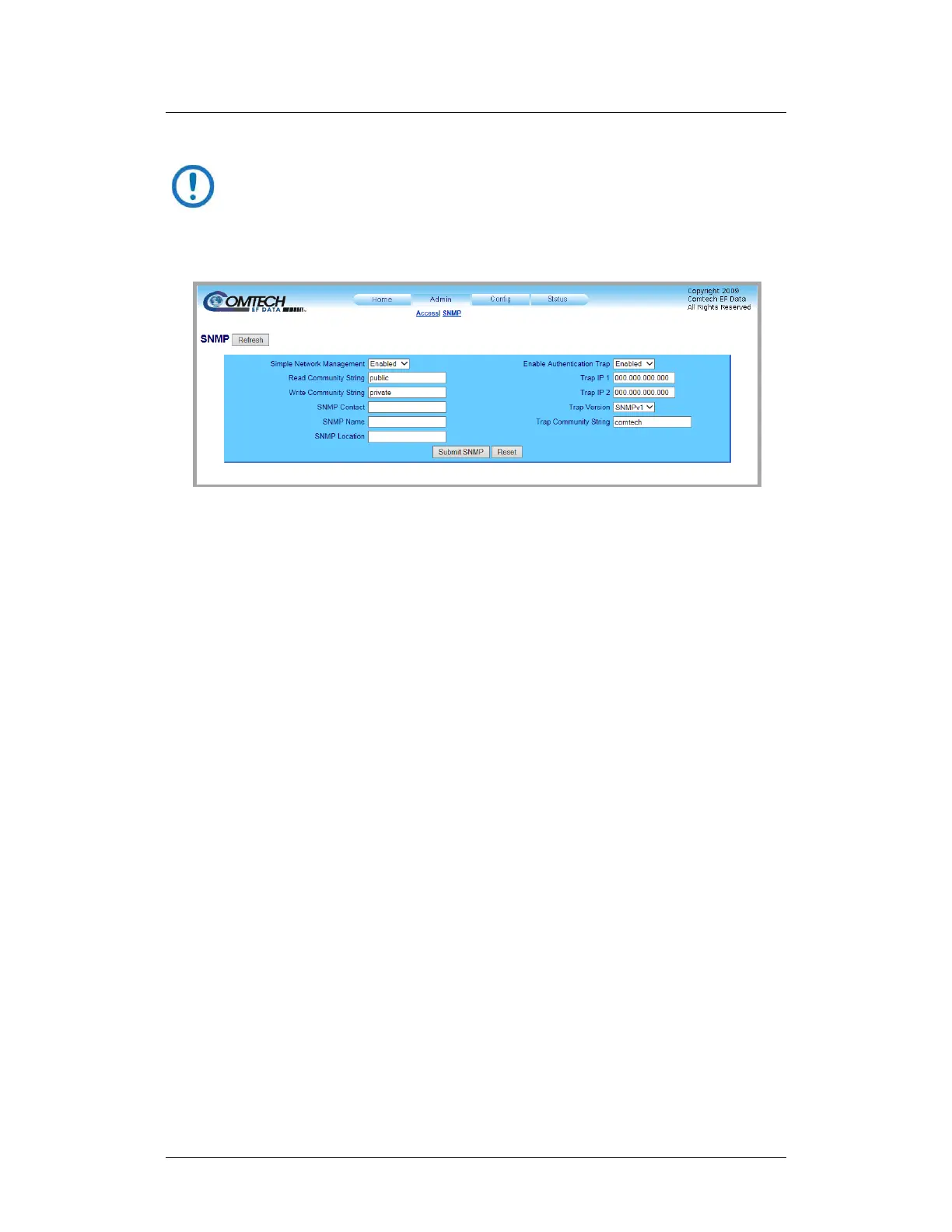
The Administrator must use this page to manage the SNMP (Simple Network
Management Protocol) settings.
Figure 7-10. ‘Admin | SNMP’ Page
Simple Network Management – Use the drop-down list to set the Simple
Network Management operational setting as Enabled or Disabled.
The Read, Write, and Trap Community Strings can be any combination of
characters and a length of 0 to 20 characters:
• The factory default Read Community String is public.
• The factory default Write Community String is private.
• The factory default Trap Community String is comtech.
SNMP Contact / SNMP Location / SNMP Name – Enter this identity information
in any alphanumeric combination with a length of 0 to 20 characters.
Enable Authentication Trap – Use the drop-down list to set Trap operation as
Enabled or Disabled.
The Administrator can assign up to two Trap IP addresses.
Trap Version – Use the drop-down list to set the Trap Version as SNMPv1 or
SNMPv2.



 To Next Page