Installation l 3-9
3
Description
Mounting the Hopper
CAUTION:
To prevent accident and injury, lift the empty hopper onto the throat of
the processing machine using a hoist and the lifting lugs provided. Also lift the dryer from
the shipping container using a hoist and the lifting lugs provided.
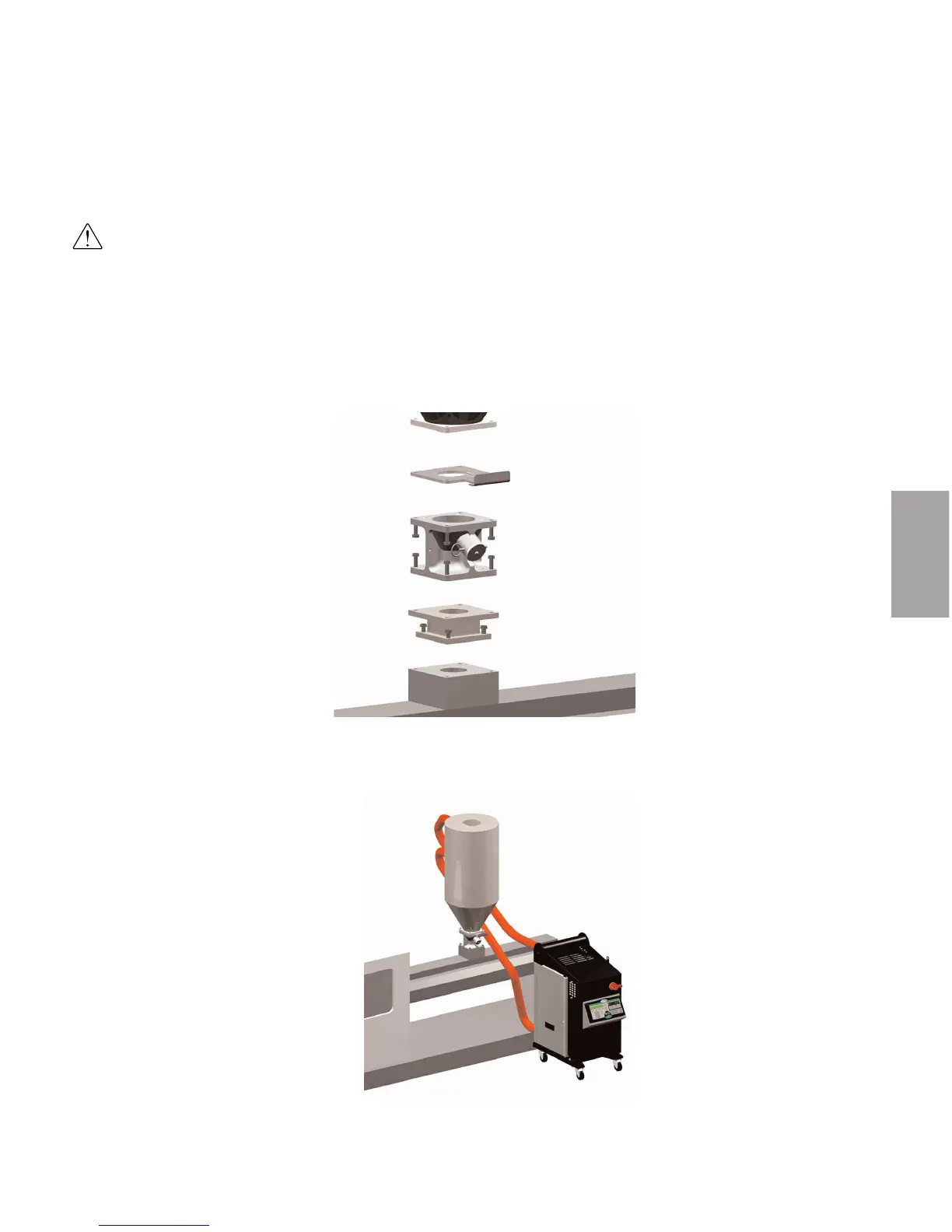
1 Lift the hopper onto the throat. Lift the hopper with a hoist, using the lifting
lugs provided. Make sure you align the bolt holes in the throat with the bolt
holes on the discharge assembly.
2 Bolt the hopper to the throat of
the machine. Using four 3/8 in.-16
(M 10) self-locking bolts, fasten
the support frame, discharge, and
slide gate to the throat. The bolts
must be long enough to reach at
least 1/2 in. (1.25 cm) into the
mounting adapter or processing
machine throat, after passing
through the discharge and slide
gate.
Positioning the
Dryer on the
Floor
1 Lift the dryer from the shipping
container using a hoist and the lifting
lugs provided.
2 Position the dryer on the floor near
the processing machine. Make sure
the location allows for the connection
of all hoses.








 To Next Page