5-4 l Maintenance
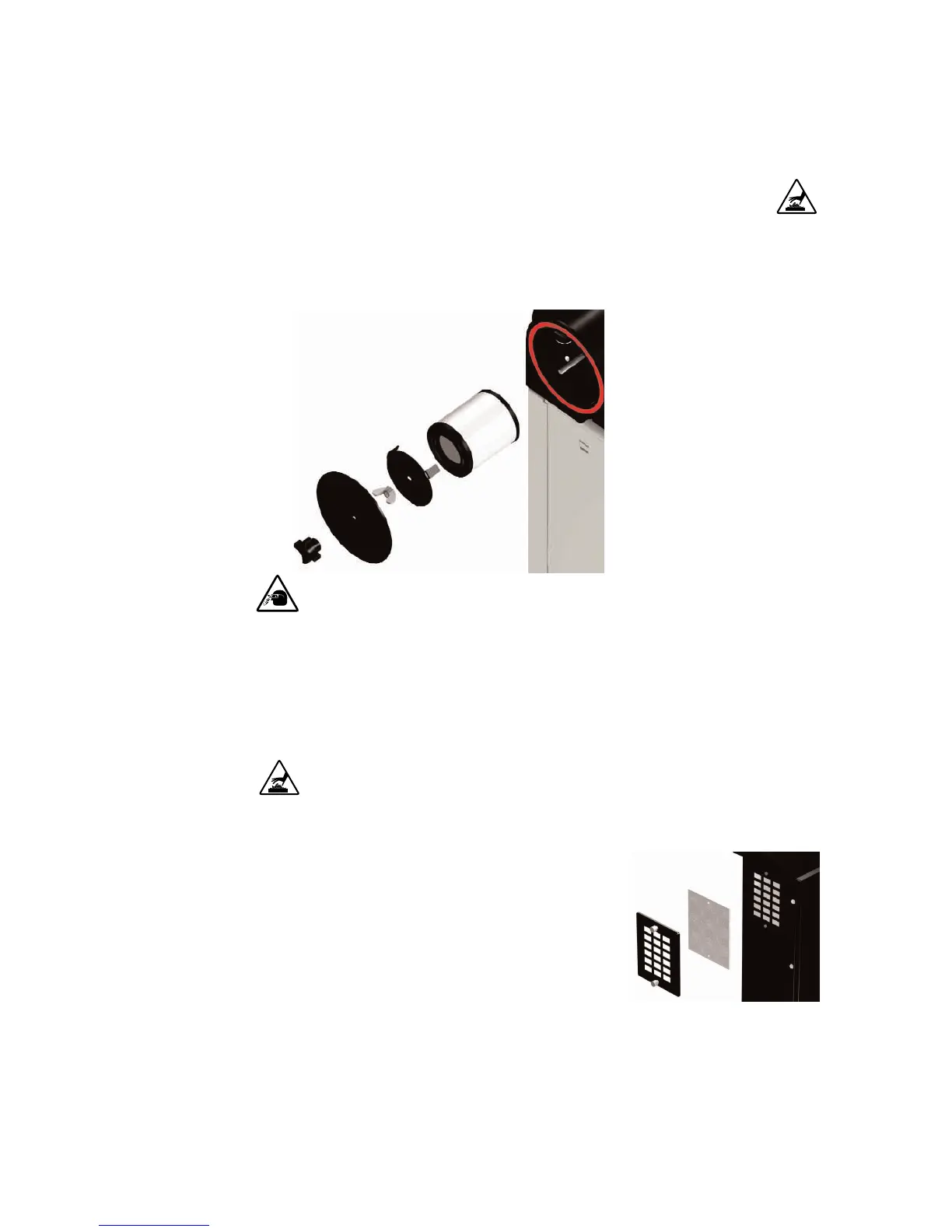
Cleaning the Process Filter
Clogged filters reduce air flow and dryer efficiency. Cleaning frequency depends
on how much material you process and how dusty it is.
1 Remove the process filter.
Remove the black plastic knob.
Pull the cap off. Remove the
wing nut. Remove the filter cap
and filter.
2 Clean the filter tube.
3 Using compressed air, clean
the process filter by blowing air
from the inside out. Replace
damaged, worn, or clogged
filters.
4 Reverse the procedure to reinstall the process filter.
Cleaning the Regeneration Filter
Clogged filters reduce air flow and dryer efficiency. Cleaning frequency depends
on how much material you process and how dusty it is.
1 Remove the regeneration filter.
Remove the two bolts and the metal
screen.
2 Clean the regeneration filter. Clean
dust, fines, and dirt from the filter,
or replace it with a new filter.
3 Reverse the procedure to reinstall the regeneration filter.
CAUTION: Wear eye protection. If you use compressed air to clean the equipment, you
must wear eye protection and observe all OSHA and other safety regulations pertaining
to the use of compressed air.








 To Next Page