Appendix l B-3
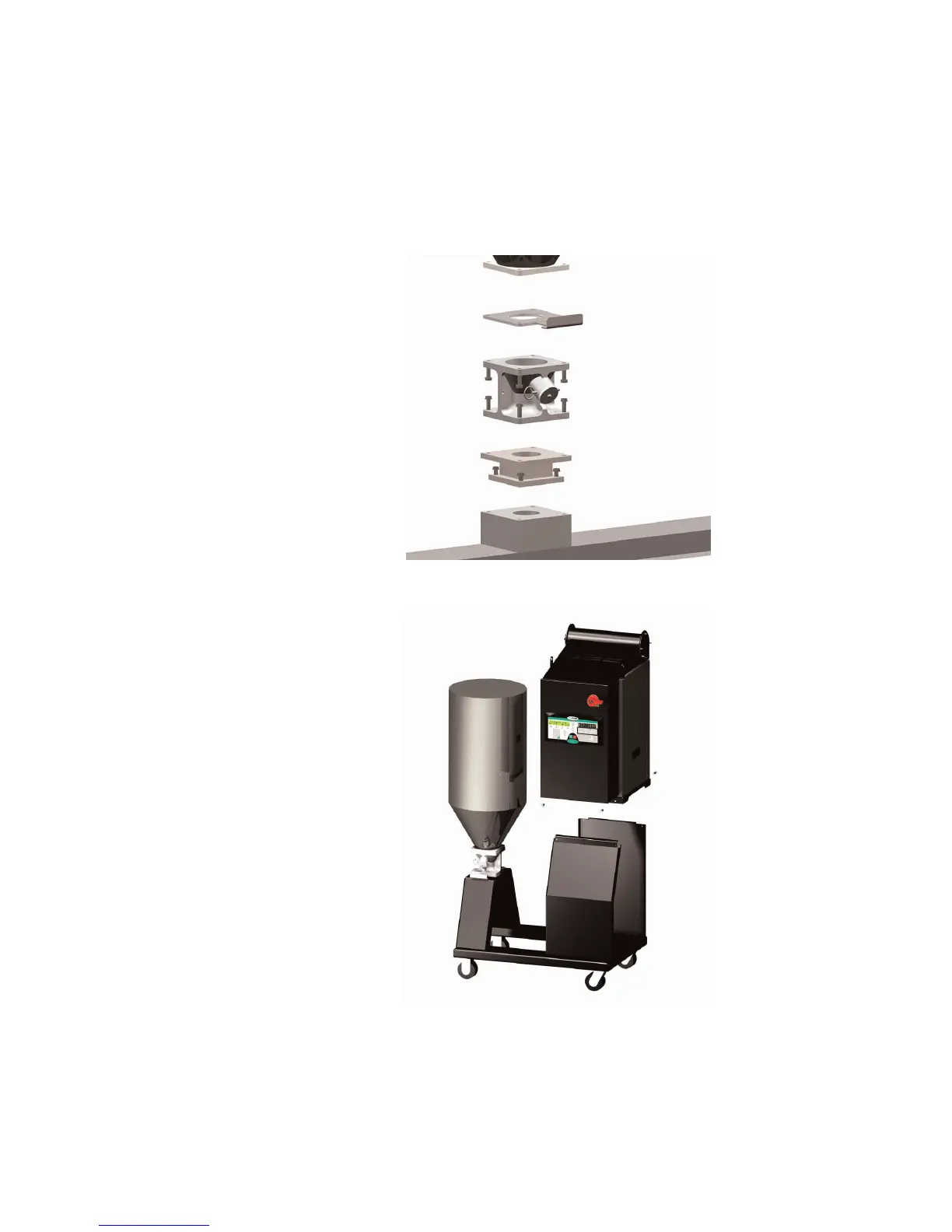
3 Lift the dryer onto the mobile floor
stand using a hoist and lifting lugs
provided.
4 Align the four bolt holes on the bottom of
the dryer with the four bolts holes in the
mobile floor stand stand.
5 Bolt the dryer to the mobile floor stand
using the four 5/16”-18 self-locking bolts
provided.
Mounting the Dryer and Hopper on a
Mobile Floor Stand (continued)
2 Bolt the hopper to the mobile floor stand.
Using four 3/8”-16 (M 10) self-locking bolts,
fasten the hopper to the mobile floor stand.








 To Next Page