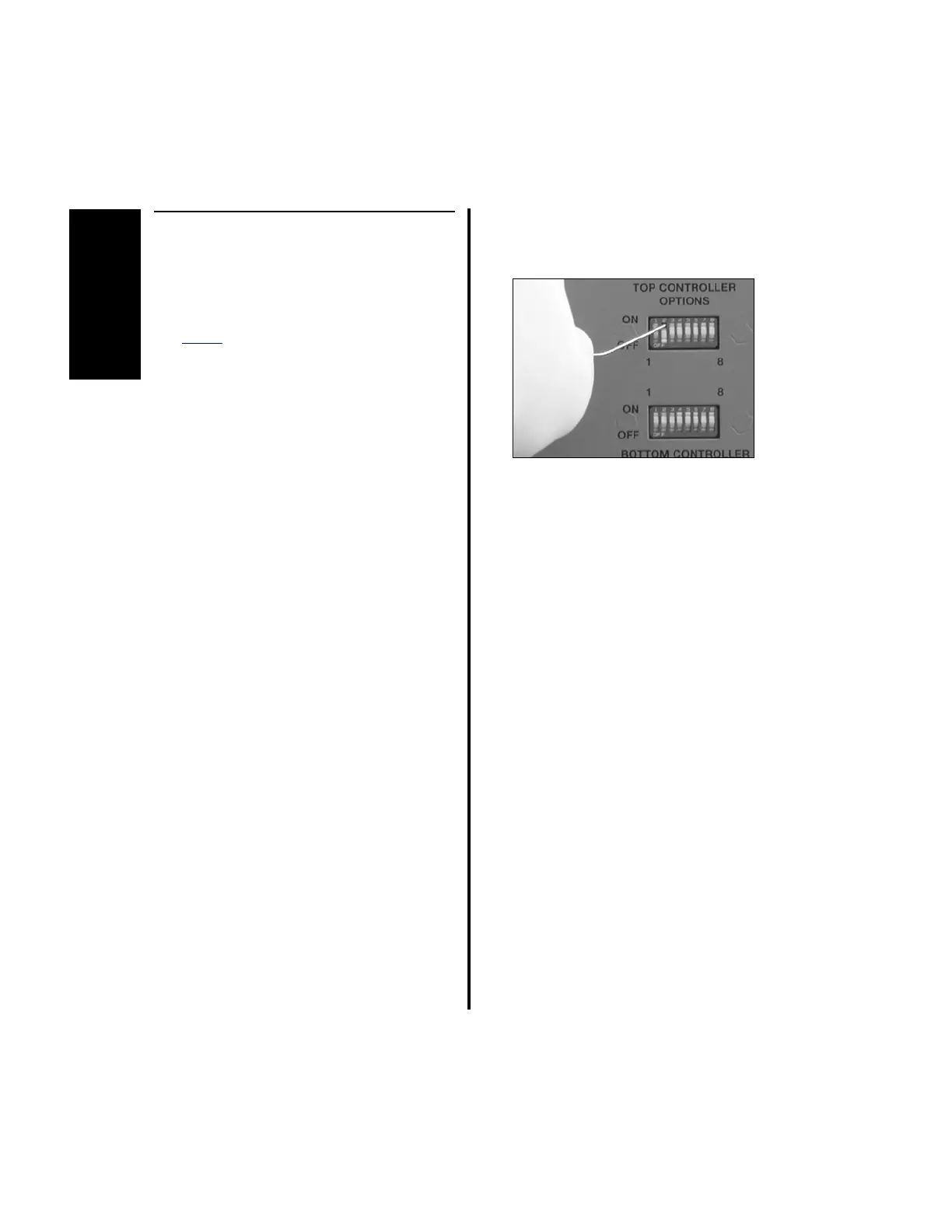
CONTROLLER
OPERATION
40
A
2.1.3.3 Switch 2 - Footswitch Mode
Selection
NOTES:
1. This switch applies to the E9000 and
Power
Pro controller and to the top
portion only (Port 1 and Port 2) of the
Advantage controller since there is no
footswitch associated with the bottom
portion of the Advantage controller.
Switch 2 in the bottom row of switches is
inactive.
2. See Switch 5 - Window Indexing on page
44 for footswitch operation exceptions.
The position of this particular switch determines
the operating mode of the footswitch, either
Variable Speed mode or ON/OFF mode.
1. When the footswitch operates in Variable
Speed mode, depressing the appropriate
pedal for the handpiece in use varies the
speed proportionally to the amount of
pressure applied, up to the maximum speed
setting.
(a) To set the controller for the footswitch
to operate in Variable Speed mode,
place switch 2 to the “OFF” position.
2. When the footswitch operates in ON/OFF
mode, depressing the appropriate pedal for
the handpiece in use rotates the blade at the
set speed, regardless of the amount of
pressure applied. Therefore, when the
appropriate pedal is depressed, the
handpiece is on; when released, the
handpiece is off.
(a) To set the controller for the footswitch
to operate in the ON/OFF mode, place
switch 2 to the “ON” position.















 To Next Page