84
MICROCHOICE
HANDPIECES
C
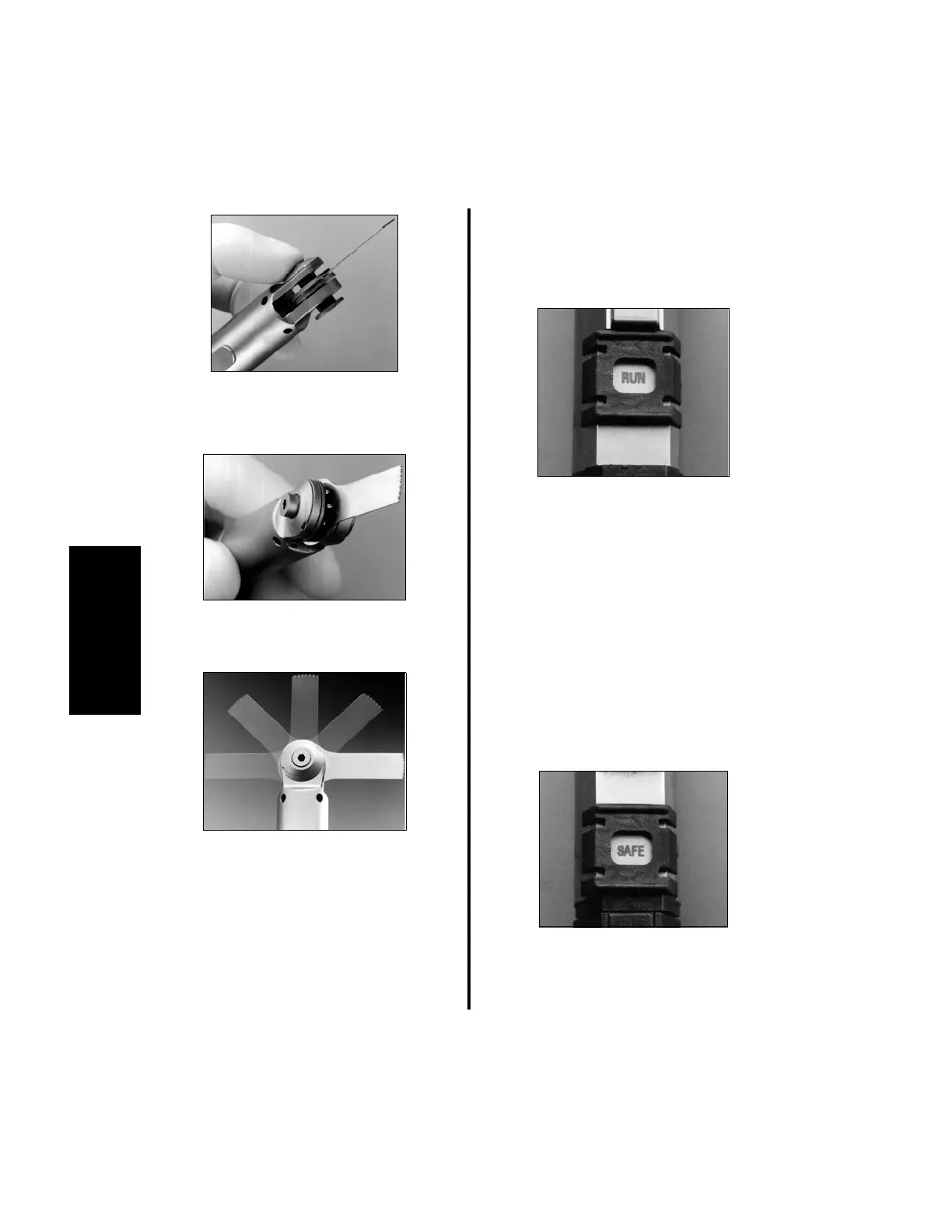
(c) Depress the opposite side of the
handpiece collet area to lock the blade
into position.
(d) Blades may be positioned at 45°
intervals within a 180° arc.
2. Verify the blade is securely attached by
activating the handpiece. To activate the
handpiece:
(a) Place the “SAFE/RUN” Slide in the
“RUN” position. The controller will
display the handpiece I.D. and its
maximum (default) rpm or speed
setting. If being used in Port 2 of the
Advantage controller, and irrigation is
being used, the top display will also
show the set flow rate (“OFF” will be
displayed if irrigation is not used).
(b) Depress the Activation Lever or
appropriate footswitch pedal.
3. To change operating speeds, reference
“2.1.5 Controller Operation” on page 48
if using Port 2 of the Advantage controller
or “3.6.5.1 Handpiece Cord Button
Operation Using the Elite High Speed
Drill, Medium Speed Drill, Saws and
Modular Handpiece” on page 93.
4. To remove saw blades:
(a) Place the “SAFE/RUN” Slide in the
“SAFE” position.
(b) Depress the collet lock mechanism and
remove the blade.















 To Next Page