EasyManua.ls Logo

Contax 167MT - Main Switch

Contax 167MT
68 pages
Print Icon
To Next Page IconTo Next Page
To Previous Page IconTo Previous Page
Loading...
.
20
Lil:.'
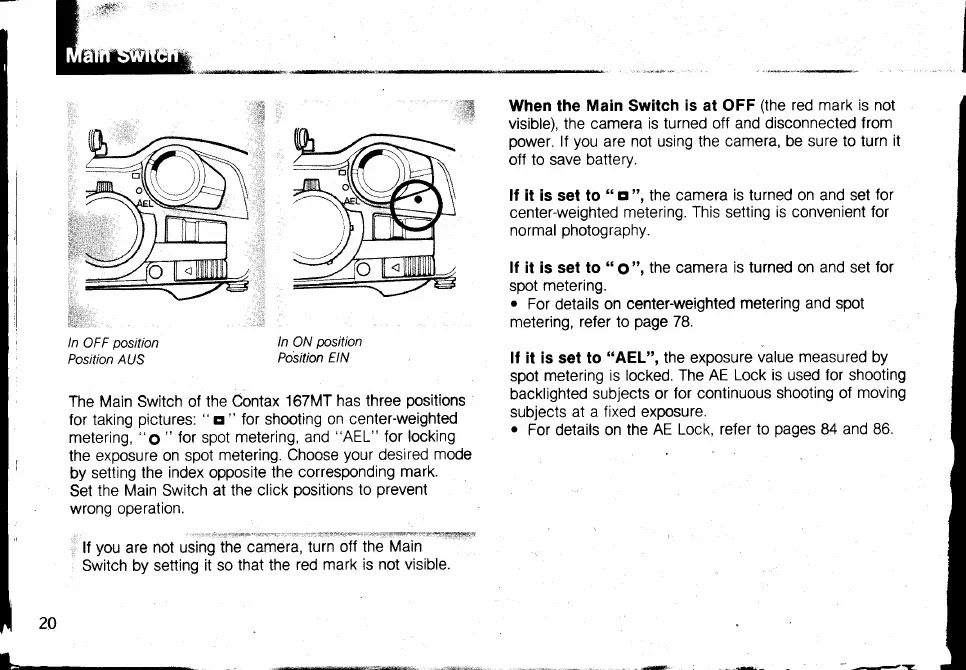
ln
OFF
position
Position AUS
ln
ON
position
Position
EIN
When the
Main
Switch
is
at OFF
(the
red mark is not
visible), the camera
is turned off and disconnected
from
power.
lf
you
are
not using the camera,
be sure to turn
it
off to save battery.
ll it is set to
"
E
",
the camera
is turned on and set
for
center-weighted
metering.
This
setting
ts convenient
for
normal
photography.
lf it is set to
"
ol
",
the camera
is turned on and set
for
spot
metering.
.
For
details
on center-weighted
metering and spot
metering,
refer
to
page
78.
lf it is set to
"AEL",
the exposure
value measured by
spot
metering
is locked. The AE
Lock is used for shooting
backlighted
subjects or
for continuous
shooting of
moving
subjects at
a fixed exposure.
.
For details on the
AE Lock, refer to
pages
84
and 86.
The Main Switch of
the Contax
167MT has three
positions
for taking
pictures:
"
s
"
for shooting
on center-weighted
metering,
"6t "
for
spot
metering, and
"AEL"
for
locking
the
exposure on spot
metering. Choose
your
desired
mode
by
setting
the
index
opposite
the
corresponding
mark.
Set
the Main Switch
at the click
positions
to
prevent
wrong operation.
tr
you
are
not
using
i;;ffi;;,
i;il;ffi-ih;'iffi;*=+eers@4
Switch by setting
it so
that the
red mark is
not visible.
-----

Table of Contents

Related product manuals