EasyManua.ls Logo

Contax 167MT - Automatic Continuous Exposure Compensation

Contax 167MT
68 pages
Print Icon
To Next Page IconTo Next Page
To Previous Page IconTo Previous Page
Loading...
9lgf:
;).r0r !l
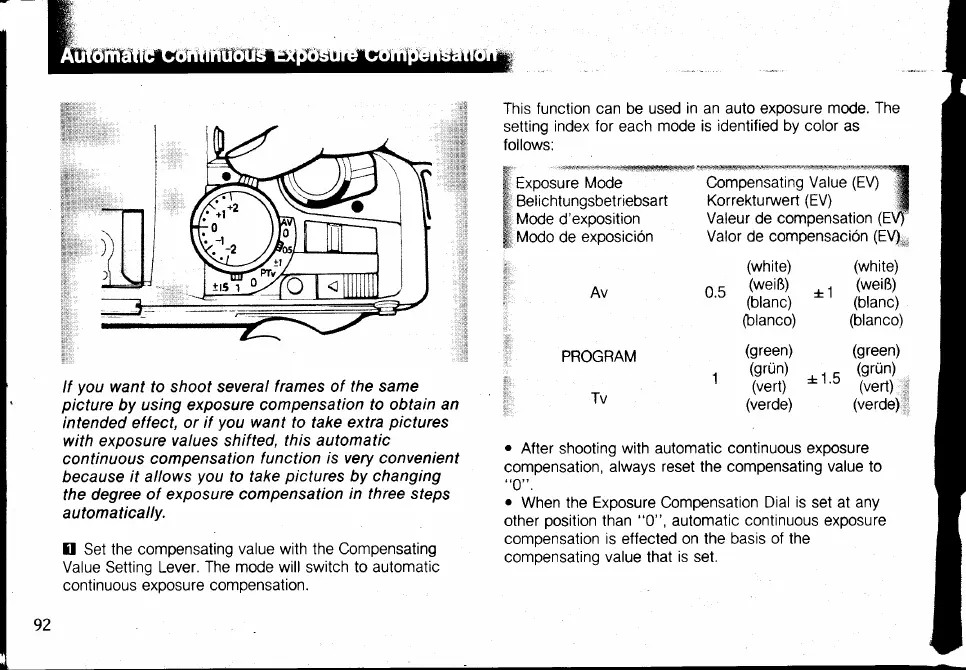
This function can be used
in an auto exoosure
mode. The
setting
index
for
each
mode is
identified by
color as
follows:
.
. ,:rsr.:F
iiaS,ierrjrrrjiSss4
Exposure
Mode
Bel ichtun
gsbetriebsart
Mode d'exposition
Modo
de
exposicion
Valeur de comoensation
Valor de compensacion
(EV)",
Compensating
Value
(EV)
Korrekturuuert
(EV)
Av
PROGRAM
Tv
(white)
n
q
(weiR)
v'u
(blanc)
(blanco)
(green)
r
(grUn)
'
(vert)
(verde)
(white)
, i
(weiR)
= |
(blanc)
(blanco)
(green)
*15
((?S,,
(verde)
l
lf
you
want to shoot several
f rames of the same
picture
by
using exposure compensation
to obtain an
intended effect,
or if
you
want
to take extra
pictures
with exposure
values
shifted,
this automatic
continuous
compensation
f
unction
is very convenient
because
it allows
you
to take
pictures
by changing
the
degree
of exposure compensation
in three sfeps
automatically.
I Set
the compensating
value with the Compensating
Value Setting Lever.
The mode will
switch
to automatic
continuous
exposure compensation.
o
After shooting
with
automatic
continuous exposure
compensation,
always
reset
the compensating
value to
"0".
o
When the Exposure Compensation
Dial
is
set at any
other
position
than
"0",
automatic
continuous exposure
comoensation is effected on the basis
of the
compensating
value
that
is set.

Table of Contents

Related product manuals