EasyManua.ls Logo

Contax 167MT - Display in the Viewfinder and Display Panel; Display in the Viewfinder

Contax 167MT
68 pages
Print Icon
To Next Page IconTo Next Page
To Previous Page IconTo Previous Page
Loading...
tr
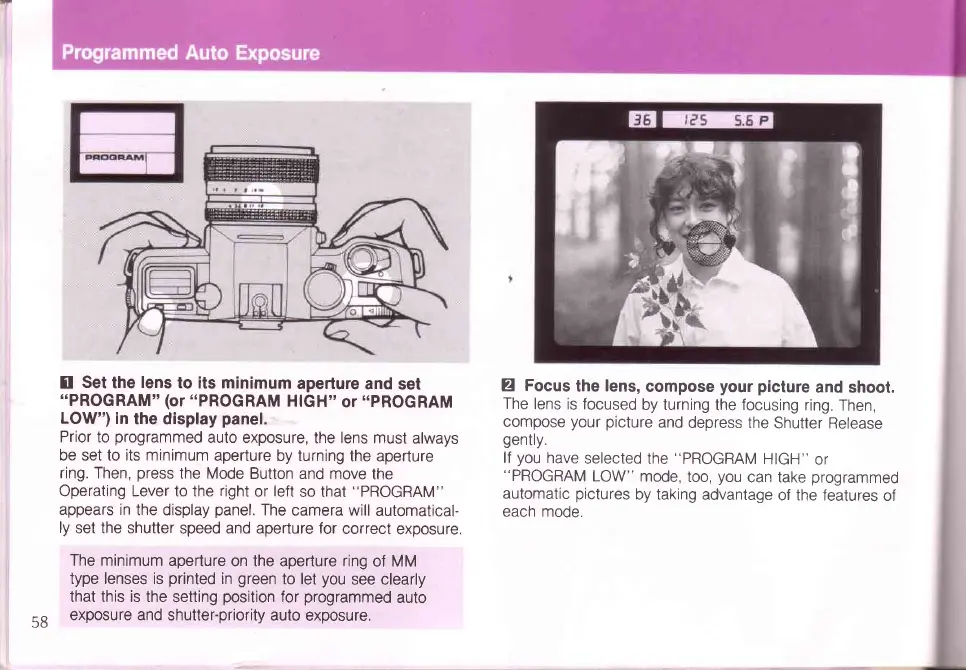
Set
the
lens
to its minimum
aperture
and
set
"PROGRAM"
(or
"PROGRAM
HIGH"
or
"PROGRAM
LOW') in
the display
panel.
Prior to
programmed
auto exposure,
the lens must
always
be set to its minimum
aperture by turning
the aperture
ring. Then,
press
the Mode
Button and move
the
Operating Lever to the right
or
left
so that
"PROGRAM"
appears in
the display
panel.
The
camera will
automatical-
ly
set the shutter
speed and aperture for
correct
exposure.
The
minimum aperture
on the aperture ring
of MM
type lenses is
printed
in
green
to let
you
see clearly
that this is the
setting
position
for
programmed
auto
exposure and
shutter-priority auto
exposure.
Z
Focus
the
lens,
compose
your picture
and shoot.
The
lens is focused
by turning
the
focusing
ring.
Then,
compose
your picture
and
depress the
Shutter
Release
gently.
lf
you
have
selected
the
"PROGRAM
HIGH"
or
"PROGRAM
LOW"
mode,
too,
you
can take
programmed
automatic
pictures
by taking advantage
of the features
of
each
mode.
58

Table of Contents

Related product manuals