Need help?
Do you have a question about the Contec SP10W and is the answer not in the manual?
 General
| Brand | Contec |
|---|---|
| Model | SP10W |
| Category | Medical Equipment |
| Language | English |
Guidelines for safe operation, device inspection, maintenance by qualified personnel, and use of approved accessories.
Warnings regarding explosive environments, electromagnetic interference, proper disposal, and charging.
Precautions regarding environmental conditions, cleaning, operation, and device lifespan.
Lists absolute and relative contraindications for using the spirometer.
Declaration regarding electromagnetic susceptibility and interference.
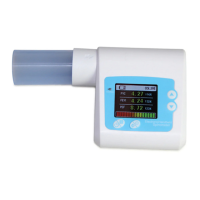
Describes the spirometer's key features like design, size, power, display, and functions.
Explains the device's suitability for various settings and ease of use.
Specifies storage and working environment conditions for temperature and humidity.
Lists general measurement capabilities, data functions, and power features.
Details specific parameters like volume, flow ranges, accuracy, power supply, and classification.
Illustrates and labels the front panel components of the spirometer.
Provides instructions for assembling and disassembling the turbine and mouthpiece.
Lists the items included in the spirometer package.
General instructions on operating the spirometer, including power on/off and performing examinations.
Explains the main parameter display, health indicator, and other parameter interfaces including volume and flow diagrams.
Explains how to access and navigate the main menu for various functions.
Instructions for editing patient details like gender, age, height, weight, and nation for predicted value standards.
Overview of functions like reviewing, trend curves, deleting data, and denoting values.
Accessing device settings like language, Bluetooth, and time configuration.
Instructions for safely turning off the device from the menu.
Procedures for cleaning and disinfecting the spirometer and its turbine.
Guidelines for battery charging, calibration, and contacting service.
Conditions for transporting and storing the device safely.
Details electromagnetic emissions compliance for the device.
Information on the device's resistance to electromagnetic interference.
Details RF interference resistance and recommended separation distances for communication equipment.

 To Next Page