Preparing a VFC400-USB for first use VFC400-USB User Guide 15
Standard Configuration Settings
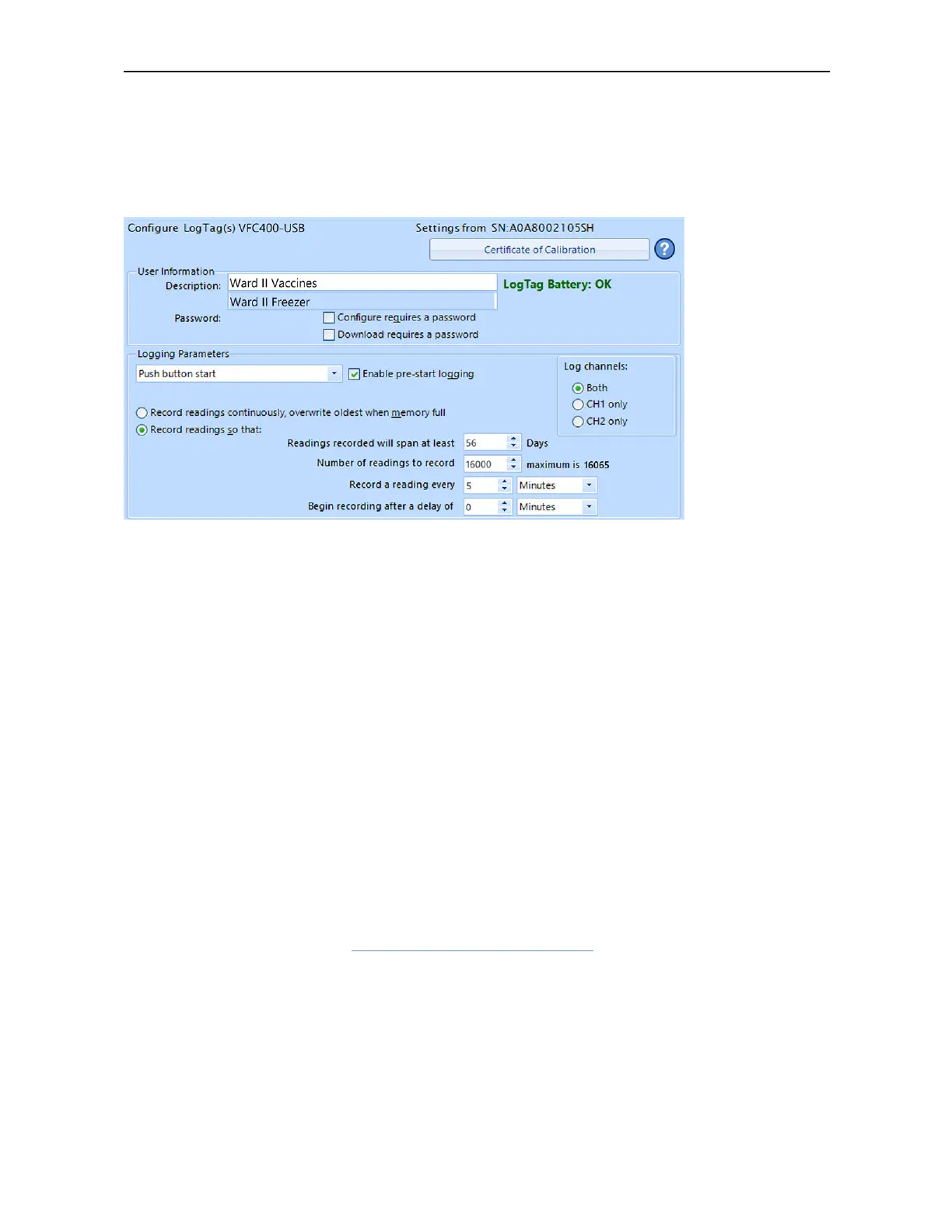
The standard configuration is similar to those of other LogTag logger products and
includes settings such as User ID, start method, pre-start recording, logging interval
and duration, start delay, and password.
Figure 1: Standard configuration parameters for a VFC400-USB
Adjust the settings as required. For detailed information about each parameter please
read the section about Configuring a LogTag for logging in Control Solutions VTMC’s
User Guide or press F1 for help.
In this section you also decide which channels the VFC400-USB will record. Select CH1
only or CH2 only if you only wish to record temperatures measured by a single probe
(plugged into the corresponding socket marked CH1 or CH2) , or select Both for
recording both probes.
VFC400-USB Start Options
During configuration with Control Solutions VTMC you can decide when the VFC400-
USB starts taking temperature readings:
Push button start
The logger will start taking temperature readings as soon as you have pressed the
START/CLEAR/STOP button (see Starting the Logger on page32).
When you choose the push button start option, you can Enable pre-start logging (or
disable it) and also Begin recording after a delay.
Pre-start readings
If you enable pre-start readings, the VFC400-USB starts recording as soon as it is
configured and will continue to do so until you start the unit via the button. No alarms
are processed while pre-start readings are being taken, pre-start readings will not
appear in the PDF file after the logger was started, and no PDF file will be generated if



 To Next Page