MiniWarden/PoolWarden + (PLUS) Operation Manual • www.poolwardentraining.com • 10
Keyboard
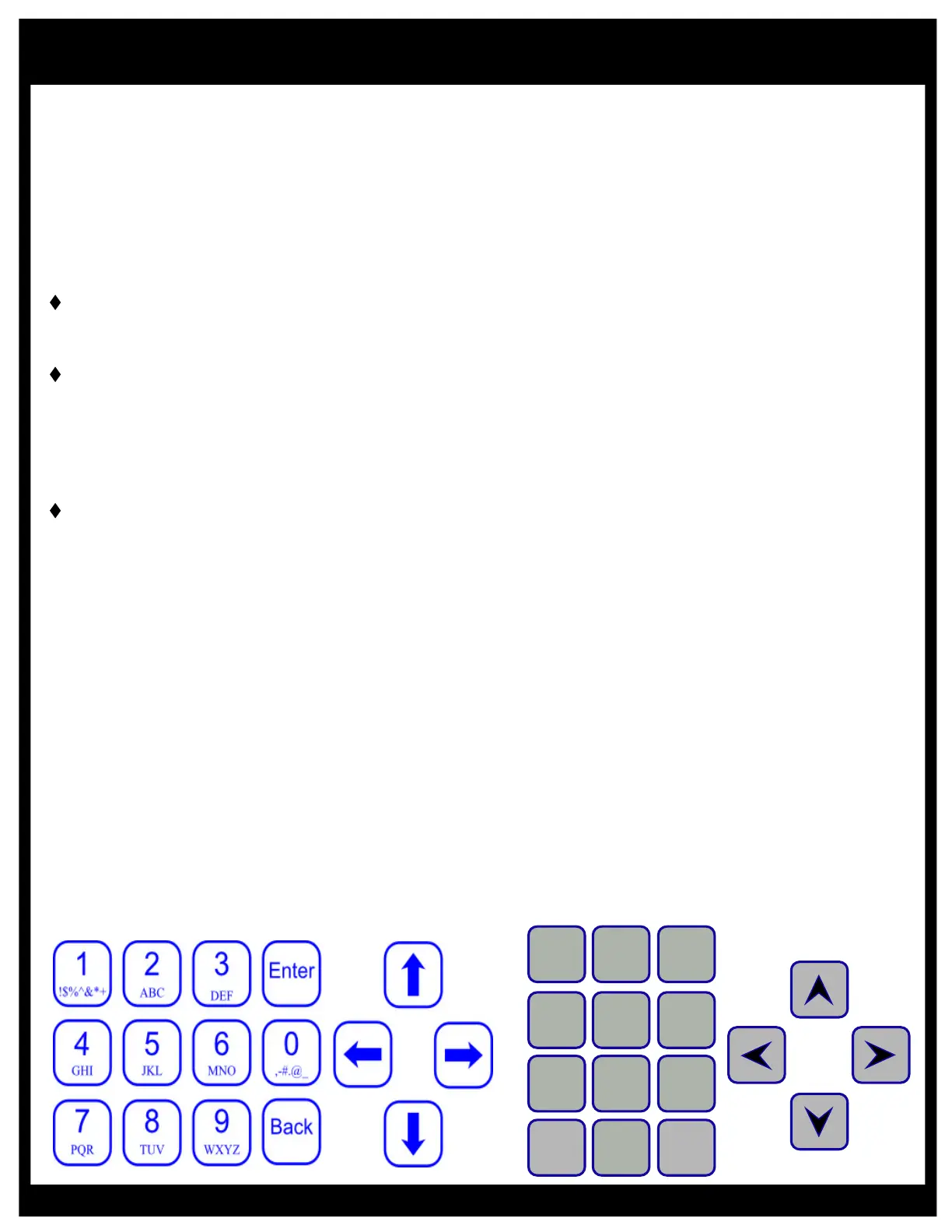
This section reviews all the navigation features associated with keyboard.
t Back: From the main readings display the Back button provides access to the main menu where all
of the configurations are. If password protected then you will need to enter the password to access the
main menu. The Back button will also go back one menu from almost any menu and pressing it
enough times will get back to the readings display.
t Enter: The Enter button provides access to most menus and sub menus and allows you to accept or
save an entry.
Numbers: The number keys allow entry of numbers only. If there is a ‘.’ Or ‘:’ in the number the cursor
may skip over it to highlight the next number. When entering a number, the cursor will skip to the next
number automatically.
Characters (Text): Some values require text entry and the alphanumeric values are shown on each
button as capital letters. The cursor does not skip to the next letter, press the right and left arrow to
position the cursor. Press the same button consecutively to cycle through all the letters and number.
The ordering is the number, then lower case, then upper case and then back to the number. The
current selections that use text include: Name, Pool1 and Pool2 in the Setup menu, SSID and
Password in the Internet WIFI menu, and the AUX relays for the PoolWarden only.
Arrow Keys: The arrow buttons (Up, Down, Left & Right), allow navigation within each menu. All
menus are fully rotational which means if you use the Up arrow to scroll to the top of a menu and
press it one more time - you will be at the bottom of that same menu and vise-versa.
qUp Arrow: Moves the cursor up one selection in a menu.
qDown Arrow: Moves the cursor Down one selection in a menu. Also used to cancel changing a
value.
qLeft Arrow: Moves back to the previous menu just like the Back button.
qRight Arrow: Selects the item the cursor is currently on just like the Enter button.
Entering Values
To change values press the Enter key and edit the value using the keyboard. Press Enter to save the
new setting or Back to abort the change. Some changes cycle through the values, continue to press
Enter or Right Arrow to cycle to the desired setting.
When making changes they will be saved to memory when the controller’s back light turns off which is 2
minutes from the last button press. Press the 5 button on the readings screen to immediately turn the
back light off and save the changes.
Back
1
0
.’()*+,;=:
Enter
9
@-_~!$
8
WXYZ
7
TUV
4
JKL
5
MNO
6
PQRS
3
GHI
2
DEF
1
ABC
PoolWarden Keyboard
MiniWarden Keyboard
Operation



 To Next Page