MiniWarden/PoolWarden + (PLUS) Operation Manual • www.poolwardentraining.com • 36
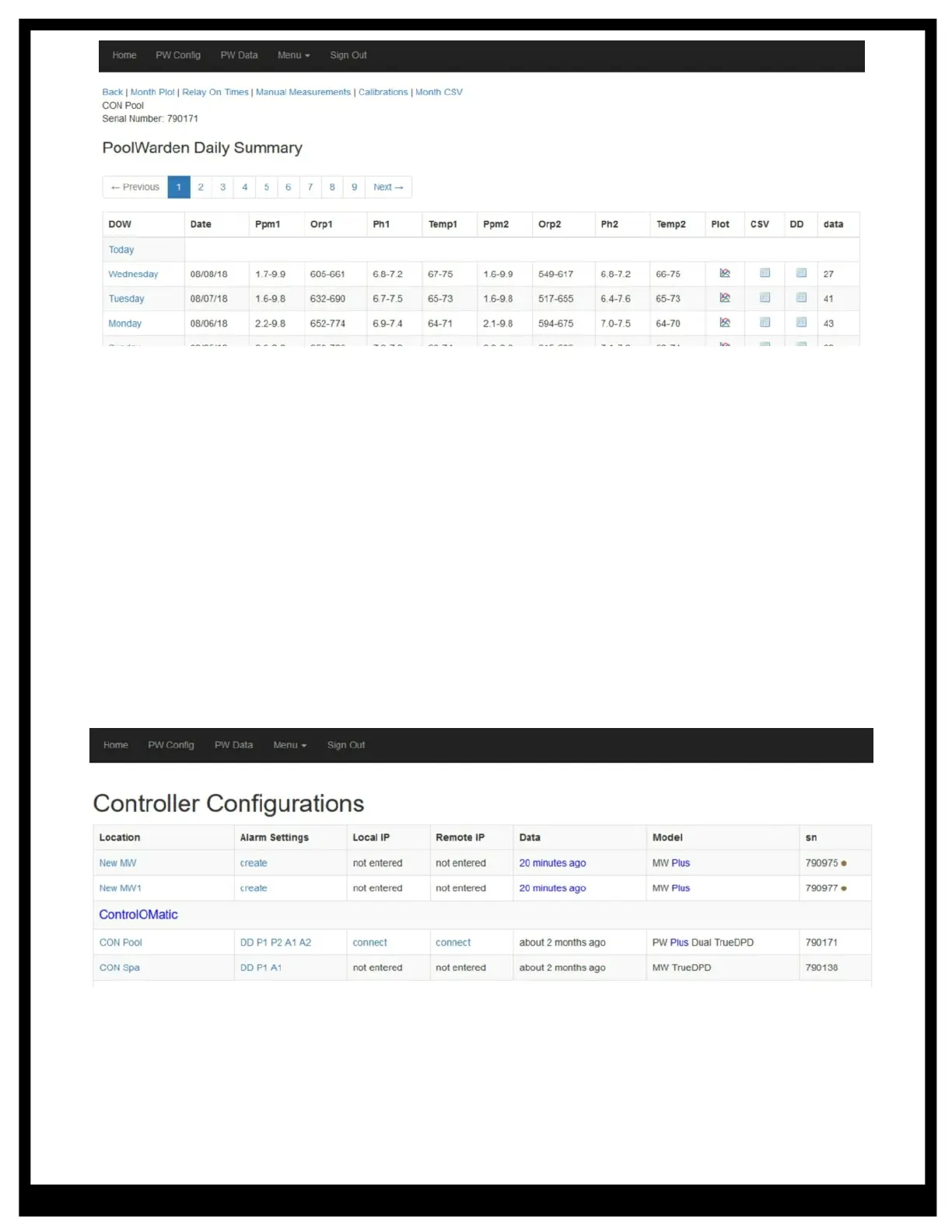
t Month Plot: Graphical plot of the data for the month. The plot includes the minimum and maximum
sensor value for each sensor
t Relay On Times: Lists the monthly on time for each relay. May also include a link to the cost view, if a
dollar amount has been entered for each relay for an hour of on time
t Manual Measurements: If measurements have been entered in the controller they are time stamped
and can be viewed
t Calibrations: When the controller is calibrated, that information is time stamped and can be viewed
t Month CSV: Export the data for the current month to a standard CSV file
PW Configuration Screen
The controller configuration screen is for admins of the account and requires granted access to be able to
view. If you don’t have the PWConfig link and need it please contact the company that setup your account.
To enter controller specific information select the link in the Location column. Important entries are the
location name and time zone. If the PoolWarden was updated from a single to a dual or if the TrueDPD was
added that is also set in the screen.
Alarm Settings - Email and Text Messages
To enable the alarm features select the link in the Alarm Settings column.
t Daily Data at Midnight: Check to enable this feature for emails 1 and 2. Enter a start and end hour to
limit the data.
t Email and Text: Enter up to 4 emails and 4 phone numbers for text messages. When the data is
received and added to the database it will also be compared to the alarm settings and then determine if
emails and text messages should be sent.



 To Next Page